
Your resume can’t smile. You can.
Record a 60-second video cover letter, put the link on your resume, and give the recruiter a reason to stop scrolling. We write the script with you and scroll it under your camera while you talk.
- Free
- A link for your resume
- Delete it any time
Hi, I’m Sarah, and I’m applying for the support lead role at Northwind.
REC0:12 / 1:30Make it now. It takes about ten minutes.
Takes stay in your browser while you practice. Only the take you pick is uploaded, and you can delete it any time.
1Write what you will say
Fill in the blanks. We build the script. Edit any word.
2Record
Practice as much as you want
Takes stay in your browser. Only the one you pick gets a share link.
What to say in 60 seconds
Four beats. Your resume already lists your jobs, so the video does what paper can’t: it shows how you talk, and that you picked this company on purpose.
- 0:00
Who you are
Name and the exact role. The recruiter may have 40 open jobs; say which one is yours.
- 0:10
Why them
One specific thing about this company. Not “your great culture”. Something you could only say about them.
- 0:25
One proof
A single result, with a number if you have one. One strong example beats a list of five.
- 0:50
The ask
Say you would like to talk, and thank them. Then stop. Ending early feels confident.
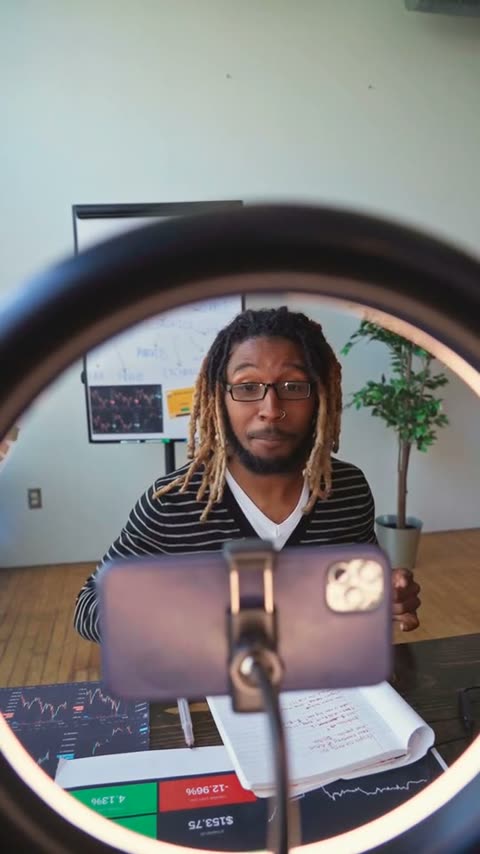
Look good on camera with what you already have
- 1
Light in front of you. Face a window. A window behind you turns you into a silhouette.
- 2
Camera at eye level. Stack books under the laptop. Looking up at the lens reads as nervous.
- 3
Look at the lens, not your face. The prompter sits at the top of the frame for this reason.
- 4
Quiet room, phone face down. The mic picks up more than you think. Test it on the meter first.
- 5
Three takes, then stop. Take three usually wins. Take nine is usually worse than take three.
Questions job seekers ask
Is it actually free?
Yes. No trial, no watermark, no password. DeepHire makes video interview software for recruiters; this tool is free so more people show up to interviews ready.
Who can see my video?
Practice takes stay in your browser and are not uploaded. When you create a link, that one take is stored by DeepHire, and anyone with the link can watch it. If you add a resume or LinkedIn link, those show on the same page. The page is hidden from search engines, your email is never shown, and you can delete everything from the browser you made it in.
How do I send it with an application?
Most job boards only take a PDF, so send the link instead. Paste it under your name on your resume, at the top of your cover letter, and in your LinkedIn Featured section. Recruiters click it and watch in the browser.
Can I see who watched it?
Yes. Your page has a Stats tab that shows how many people opened it, how far they watched, whether they opened your resume, and where they came from (LinkedIn, email, text, or the QR code). Your own visits are not counted. You see numbers only, never who the viewers are.
How long should it be?
45 to 75 seconds. The recorder stops at 90 seconds. Recruiters decide fast; a short video gets watched to the end.
Will it work on my phone?
Yes, in Safari on iPhone and Chrome on Android. Allow the camera when your browser asks. Hold the phone upright at eye level.
Should I send one if the job did not ask?
For roles where talking to people is the job (sales, support, healthcare, hospitality, teaching), it is a strong signal. For others, a link on your resume is optional and costs the recruiter nothing to skip.
On the other side of the desk?
Hiring? Get a video like this from every applicant.
DeepHire sends candidates one link with your questions. They record on their own time, and you review a whole shortlist in an afternoon instead of booking phone screens.