
Product update · November 6, 2026
DeepHire 2.0
Our biggest update yet. AI summarizes and scores every candidate, references answer on their phones, candidates can answer by voice, and everything is much faster.
- faster page switching
- 50x
- faster page switching
- summary and score for every candidate
- AI
- summary and score for every candidate
- playback speed
- 2x
- playback speed
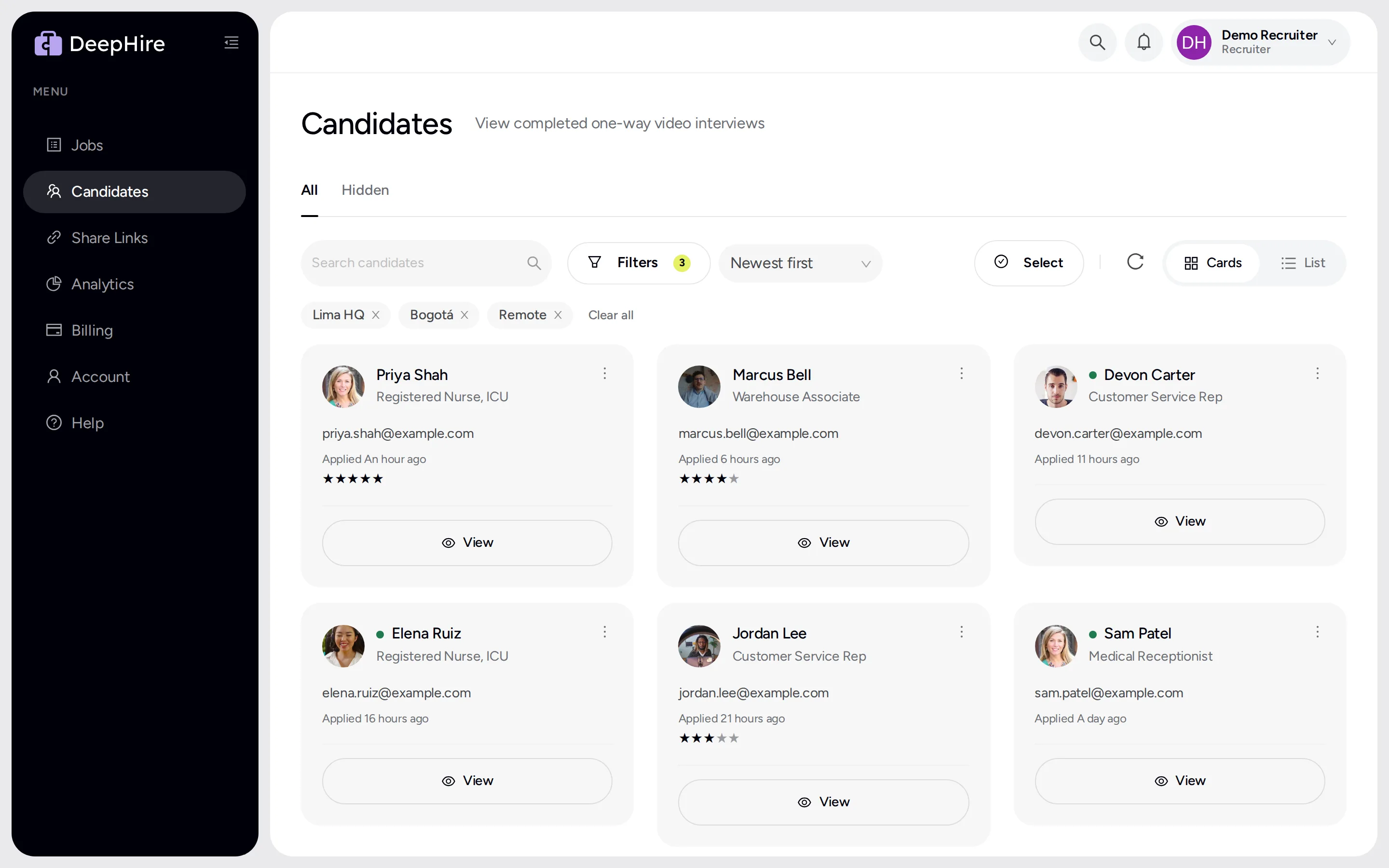
Watch a shortlist in half the time
Watch answers at 2x, let autoplay roll to the next one, and move to the next candidate with one key. You never lose your place.
- Play answers at 1.5x or 2x
- Autoplay the next answer
- J and K for next and previous candidate
- Rate 1 to 5 stars with the number keys
Speed
Up to 50x faster.
No more waiting.
Pages that took two or three seconds now open before you notice. It stays fast with thousands of candidates. The bigger your account, the bigger the difference.
| Action | Before | DeepHire 2.0 |
|---|---|---|
| Switch between pages50x faster | 1.8 s | 0.04 s |
| Open Share Links30x faster | 3.4 s | 0.1 s |
| Come back to a page30x faster | 3.4 s | 0.11 s |
| Open Jobs9x faster | 1.8 s | 0.19 s |
Measured on the same test account before and after the update.
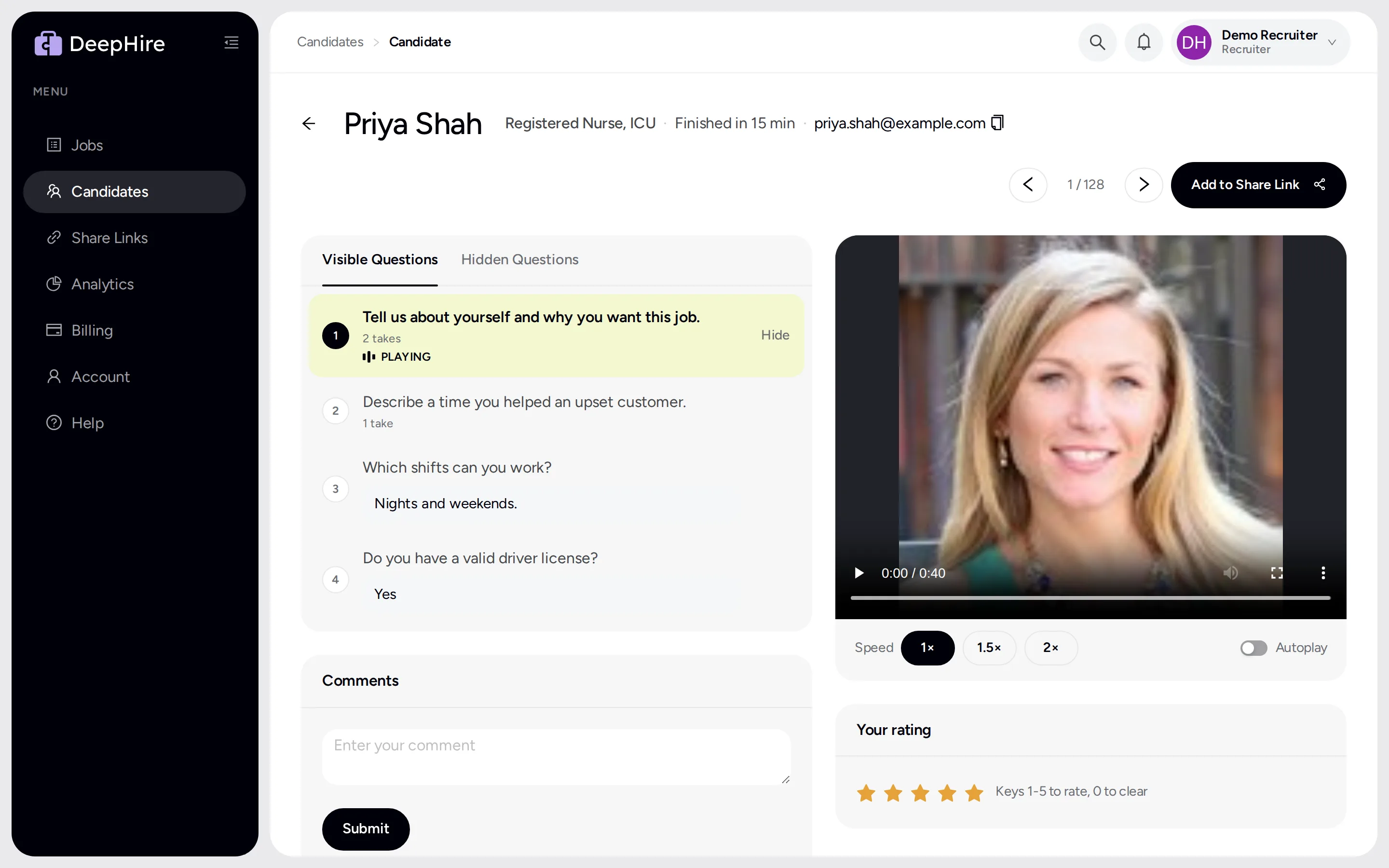
Know who to watch first
DeepHire transcribes every answer, writes a short summary of each candidate, and scores them against your own rubric. Read the summary in seconds, then watch the people worth your time. The score is advice; you make the call.
- A transcript of every video and audio answer
- A 2 to 4 sentence summary of each candidate
- Scores on your own rubric, criterion by criterion
- No rubric yet? DeepHire writes one from your questions
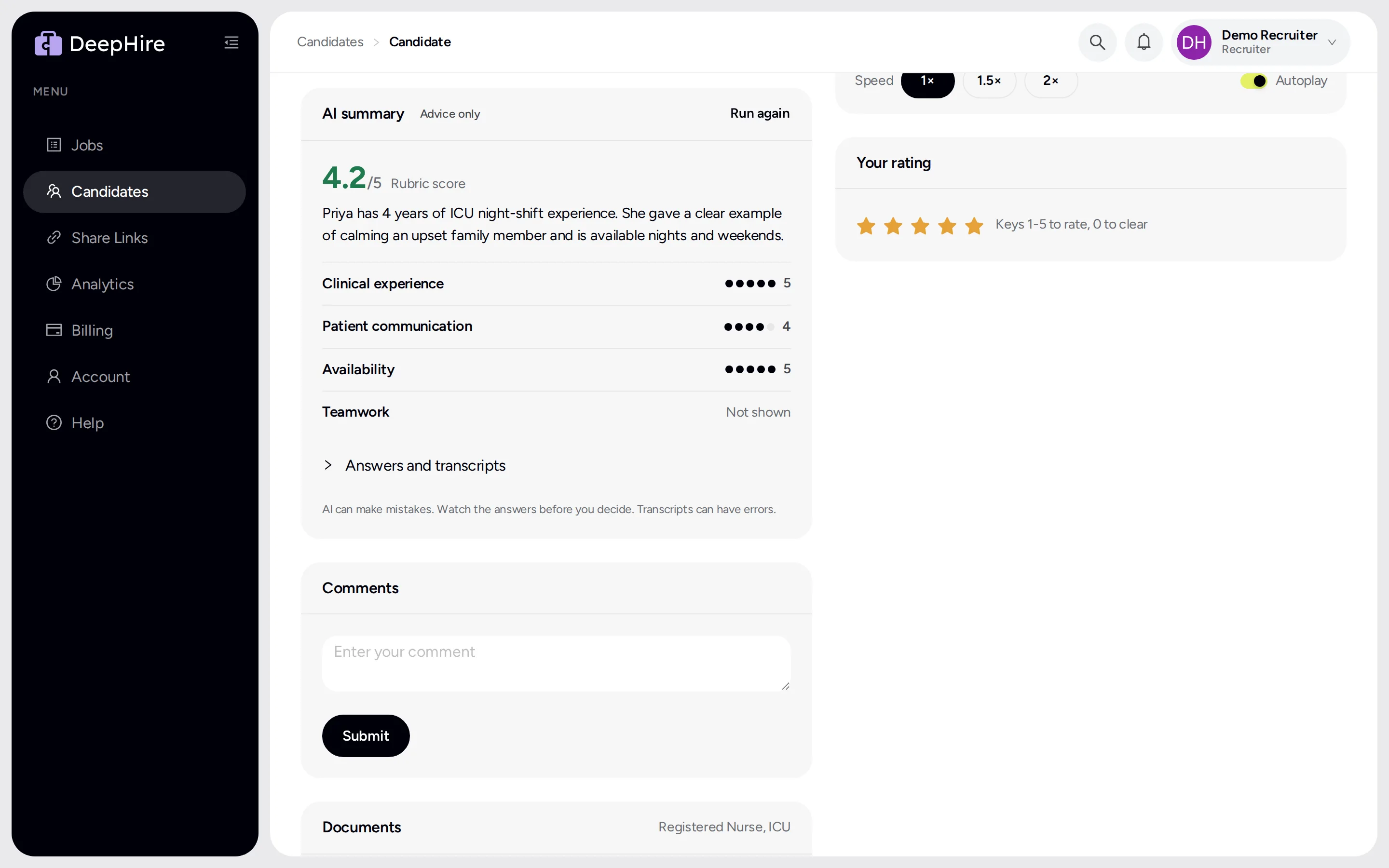
Reference checks without phone tag
Ask a candidate for references, or add them yourself. Each reference gets a short request and answers 4 questions on their phone, by video, audio, or text, in a few minutes. Their answers, transcripts, and a summary land right on the candidate's page.
- Up to 5 references per candidate
- References answer by video, audio, or text
- Candidates can add their own references after the interview
- A summary of what each reference said
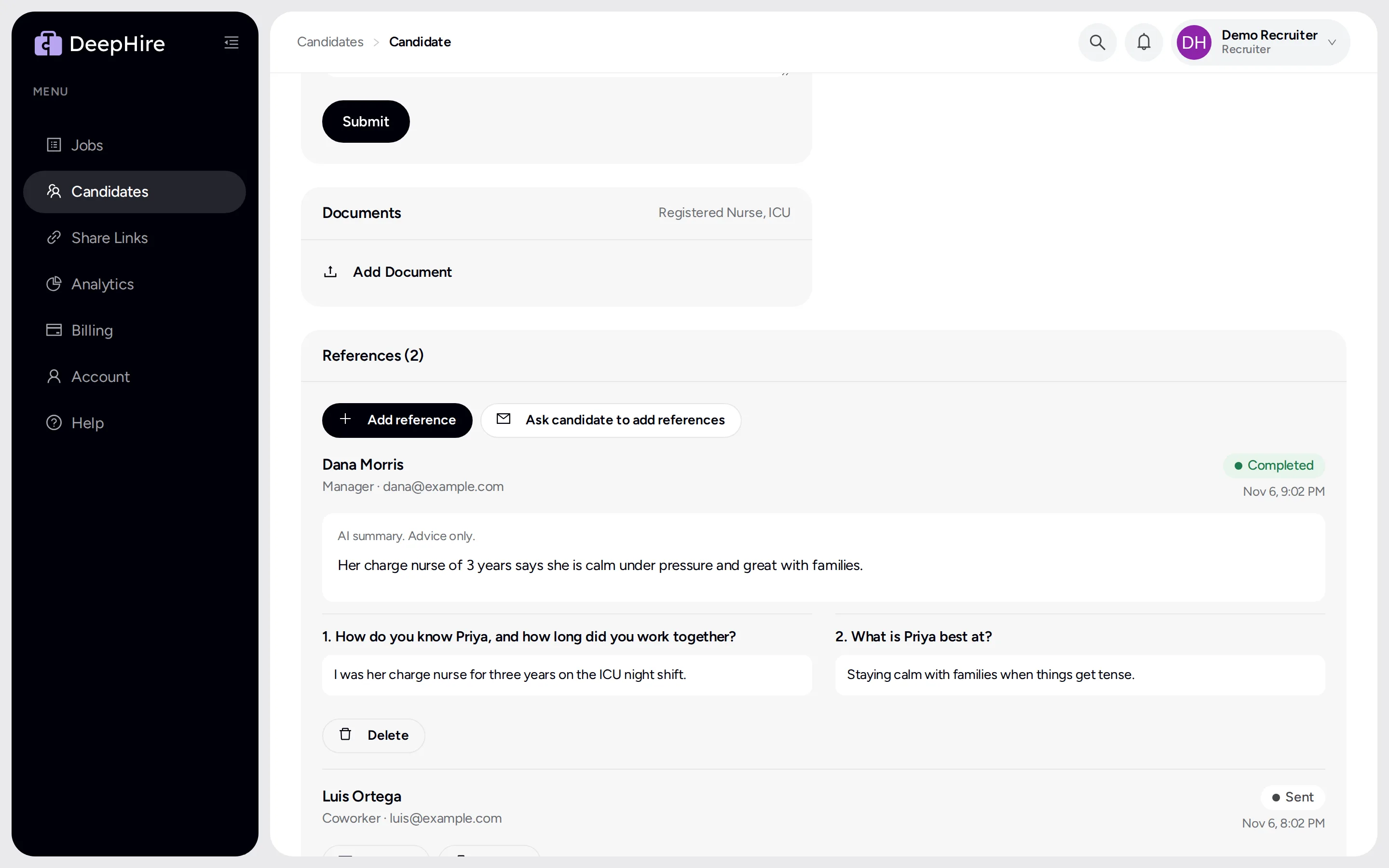
Find anyone, even in a list of thousands
Your whole candidate history is searchable now, not only the newest 1,000. New candidates are marked until you watch them, so nobody slips through.
- Search every candidate you have ever had
- Green dot on candidates you have not watched
- Sort and filter by your star rating
- See how many takes each answer needed
Fewer candidates give up halfway
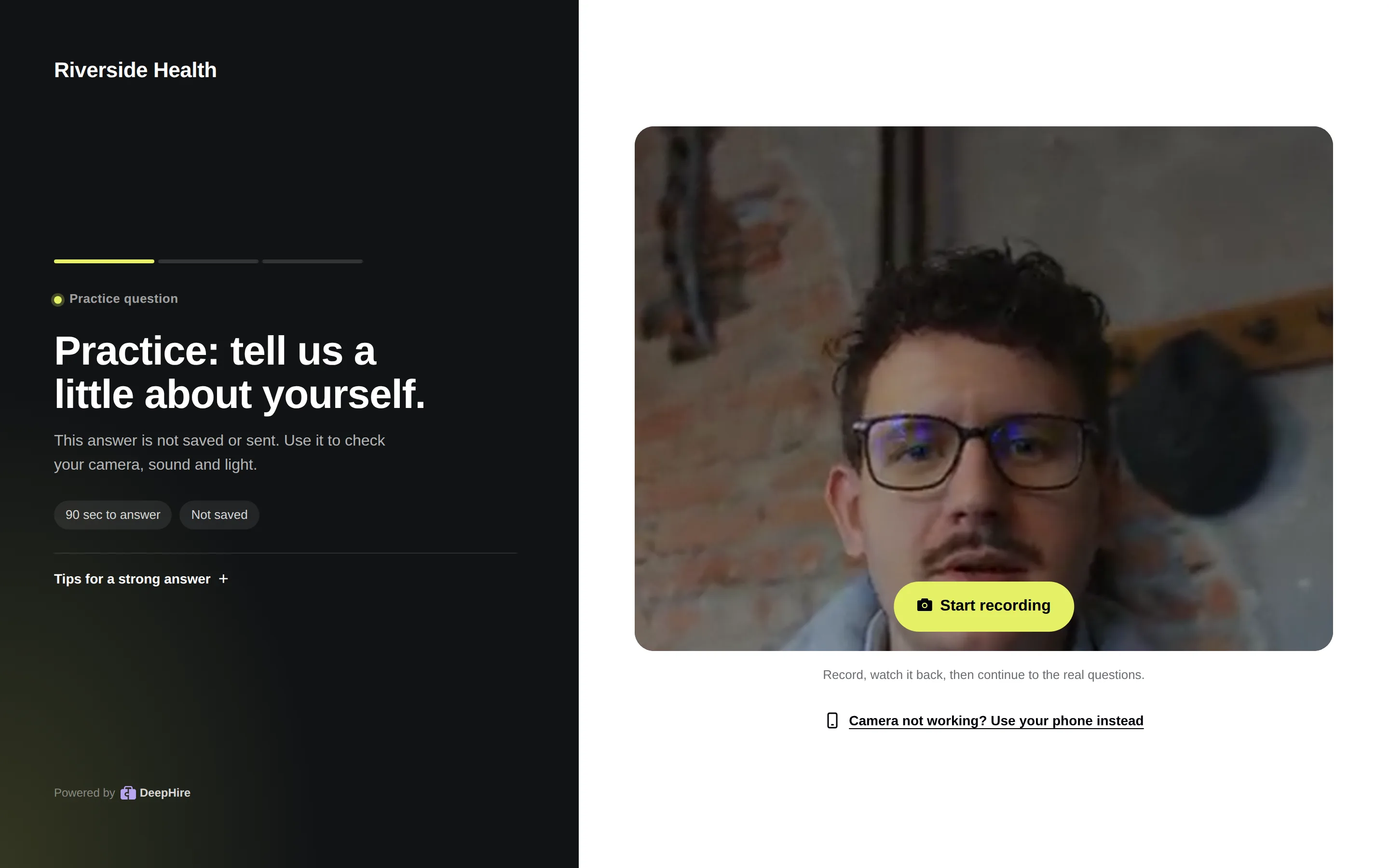
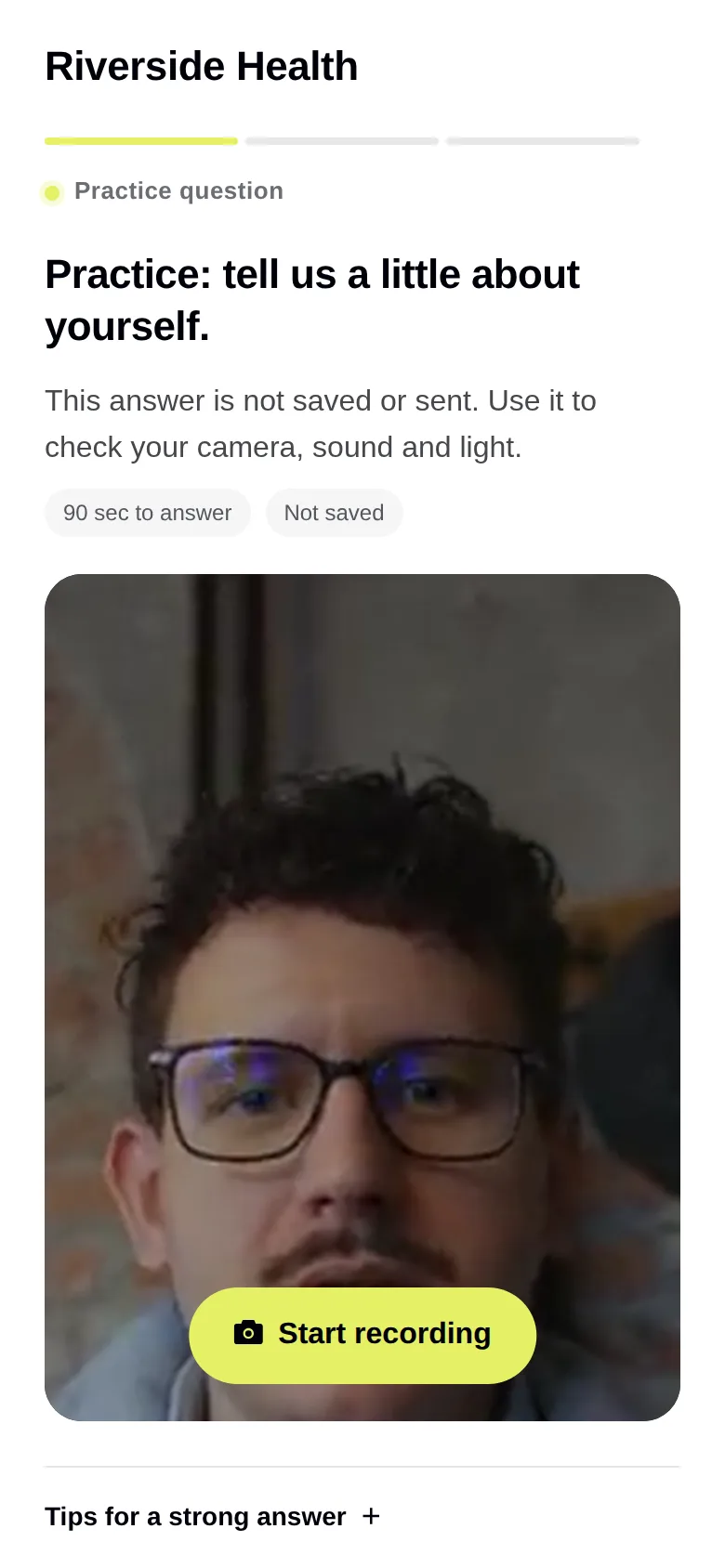
Candidates get a clean new interview that works on any phone. They can do a practice question first. If their camera fails, they switch to their phone and keep going. If their connection drops, the answer is saved anyway. Afterward, they can see or delete their answers at any time.
- Practice question to warm up
- Switch to a phone with a short code
- Works on every iPhone and Android phone
- Answers are not lost when the Wi-Fi drops
Voice-only interviews, when video is too much
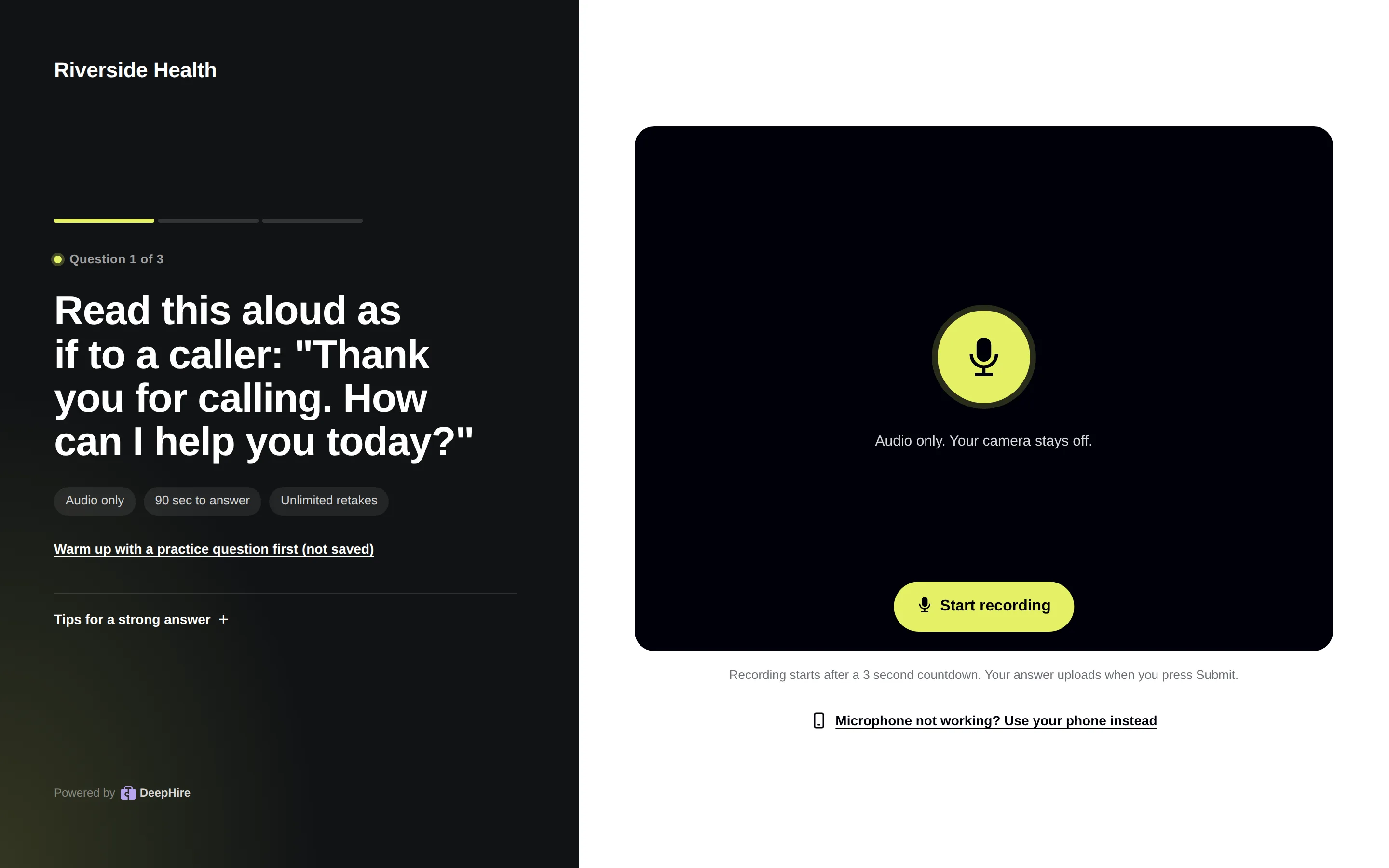
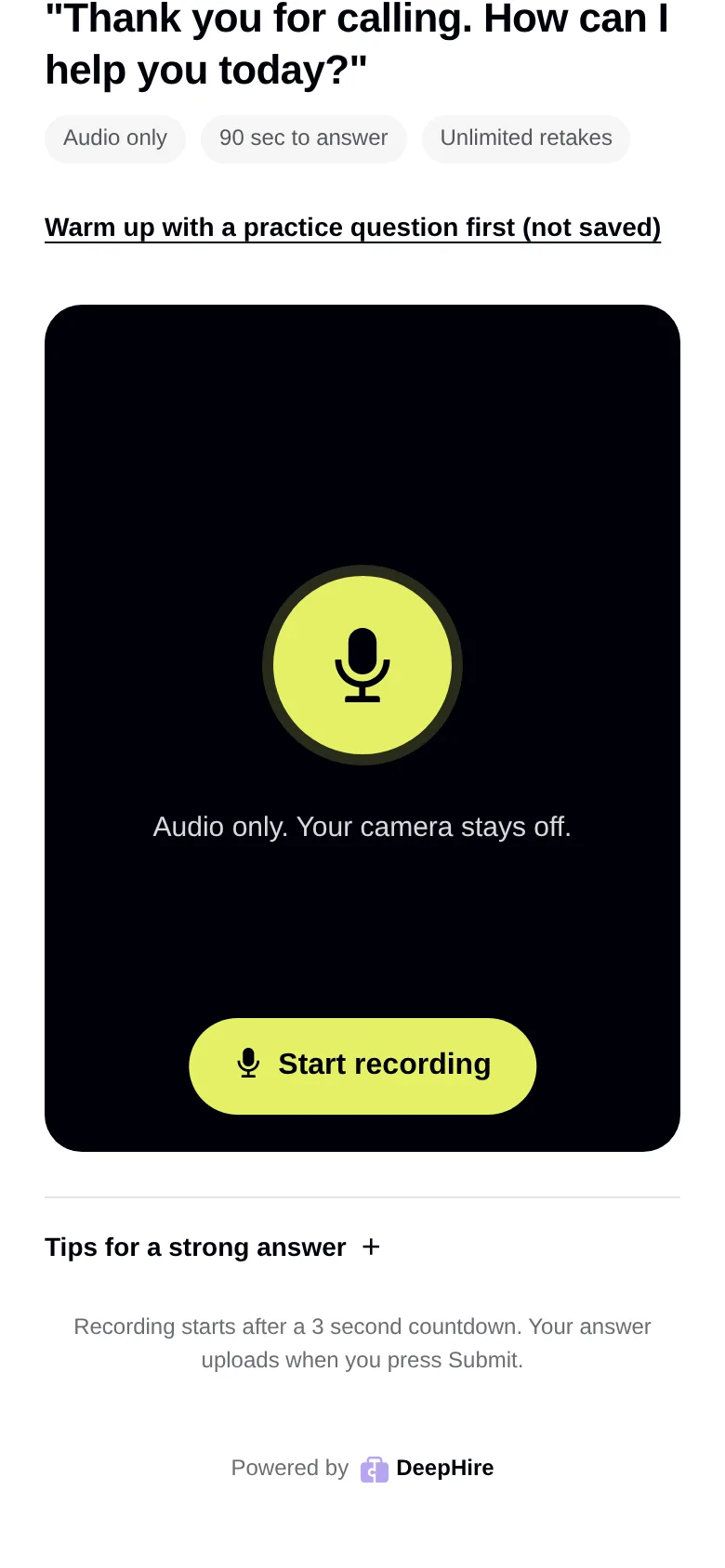
Turn on Audio only for any question. Candidates answer out loud with the microphone, and the camera stays off. It is a natural fit for call center and phone jobs, and for candidates who do not want to be on camera. Audio answers get transcripts and AI scores too.
- Audio only, video, written, or multiple choice, per question
- The camera stays off for audio questions
- Listen at 1.5x or 2x, with autoplay
- Transcribed and scored like video answers
Post a job in under a minute
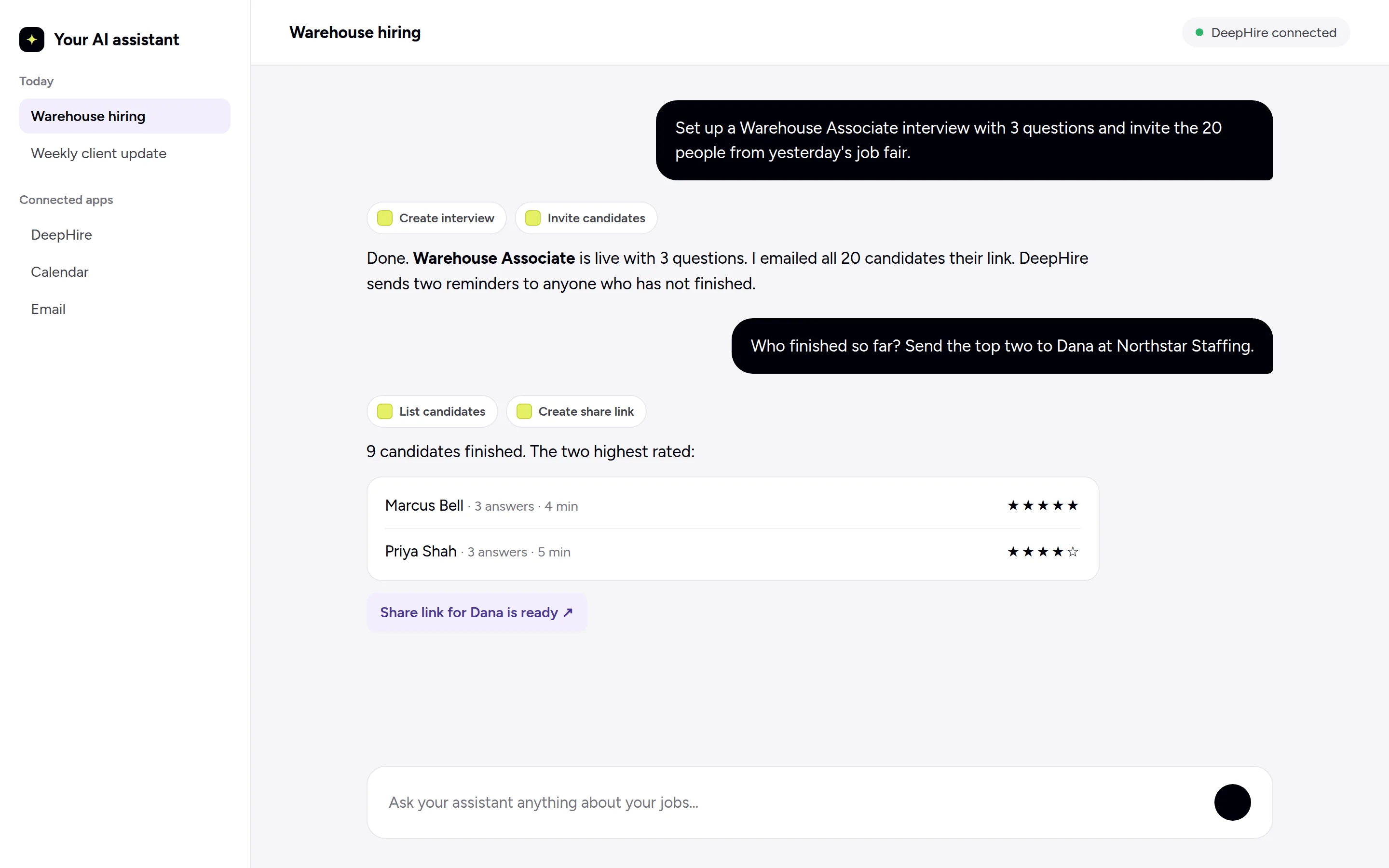
Paste a job title or description and AI writes the questions and the scoring rubric. Or pick one of 26 templates. Mix video, audio, written, and multiple-choice questions in one interview.
- AI writes the questions from a job description
- 26 ready-made jobs: sales, support, healthcare, retail, and more
- Video, audio, written, and multiple-choice questions
- Copy a job's interview link in one click
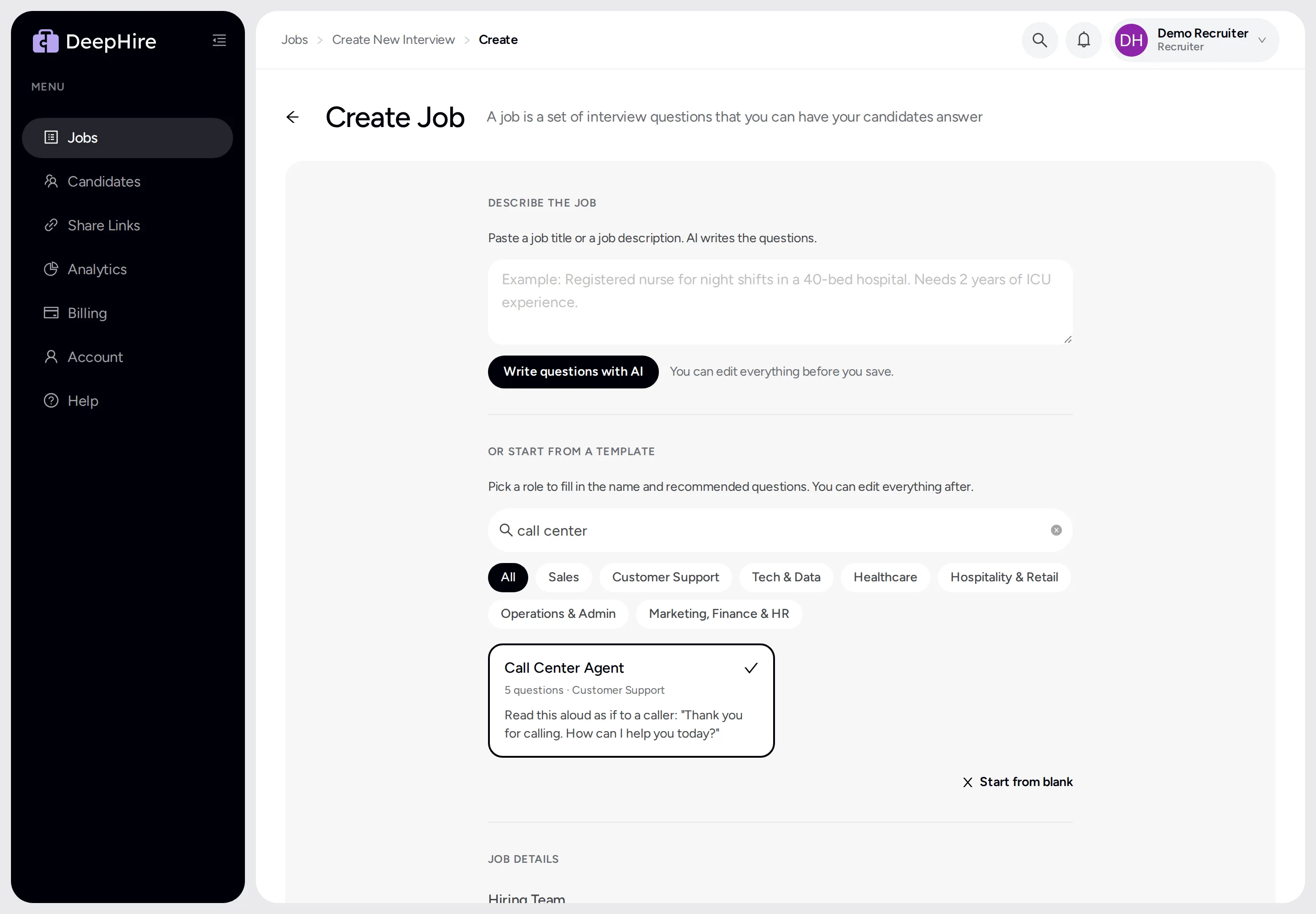
Your clients review like you do
The page your hiring managers open has the same fast review: Previous and Next, 2x speed, and star ratings. Their feedback comes straight back to you.
- Previous and Next on every candidate
- Speed control and autoplay
- Written answers shown next to the videos
- Feedback always lands on the right candidate
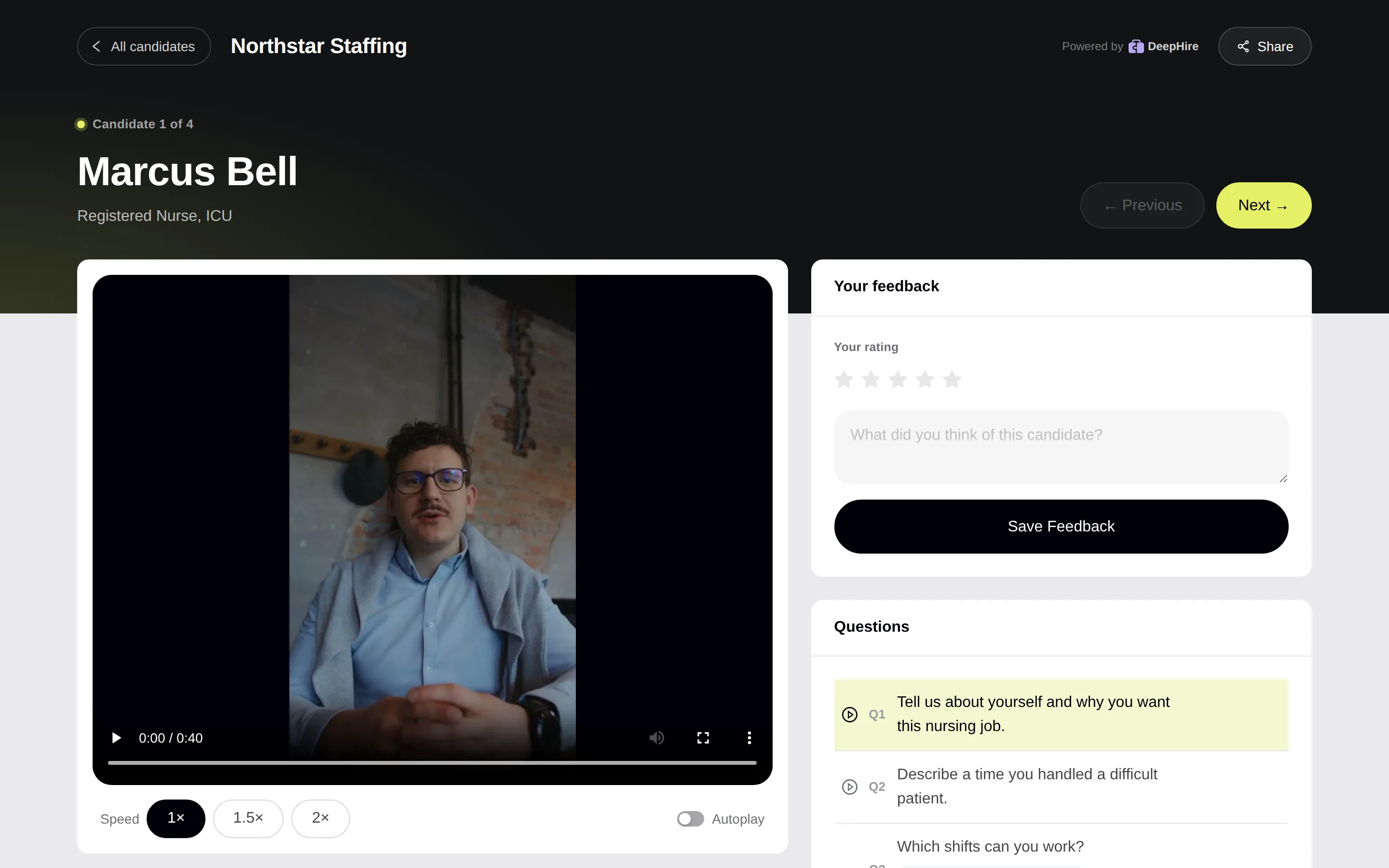
See where candidates drop off
One page shows how many candidates opened your link, started, and finished, and where the rest gave up. Compare every job side by side.
- Funnel from invite to finished interview
- Completion rate against the last 30 days
- Interviews per day
- Every job ranked by completion rate
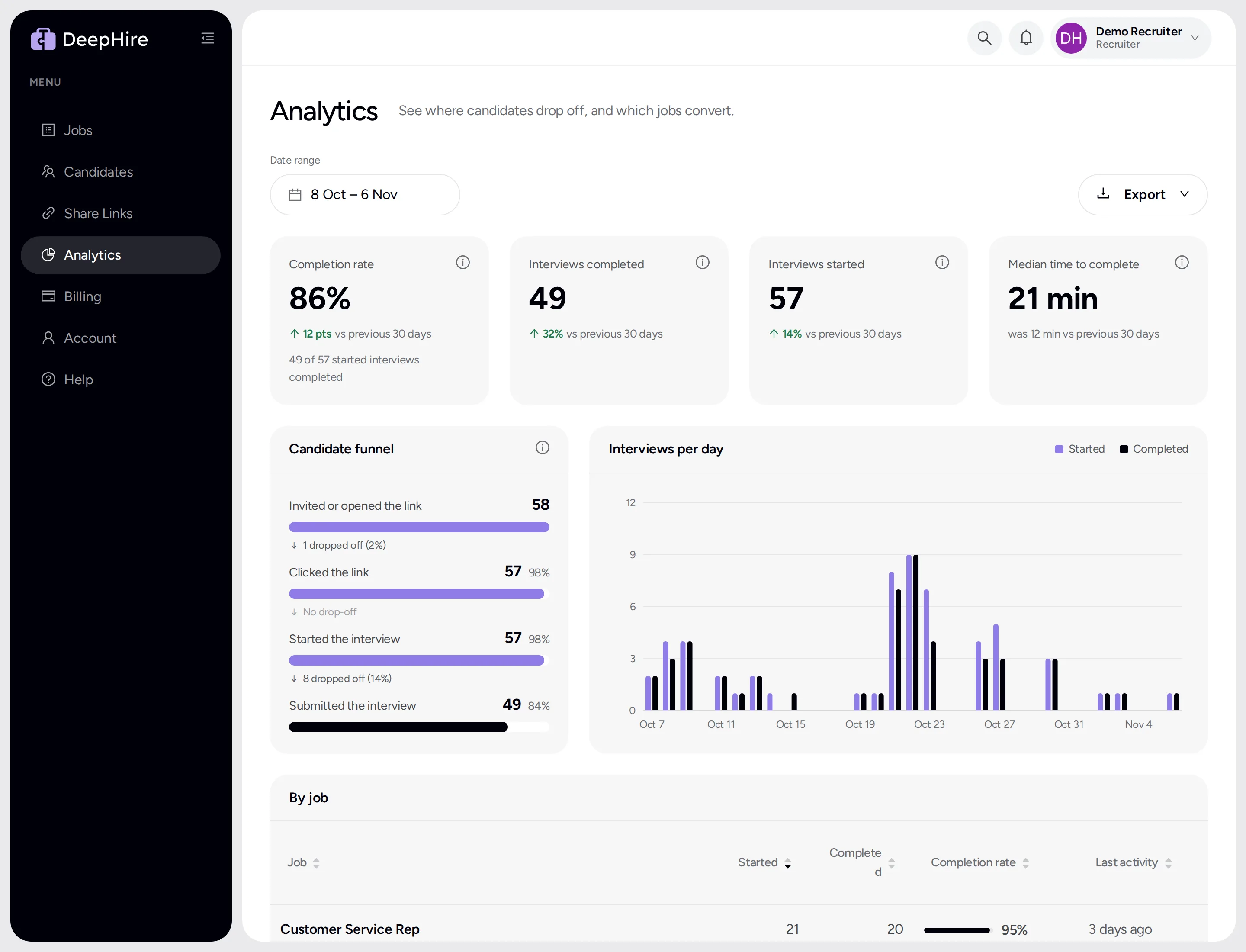
Let your AI assistant run DeepHire
Connect an AI assistant that supports MCP, such as Claude Code, Claude Desktop, or Cursor. Ask it in plain words to post a job, invite candidates, find the best answers, or send a shortlist to a client. Your assistant asks DeepHire for access, and you approve it with one click in your email.
- Post jobs and invite candidates by chat
- Ask who finished and who rated highest
- Send a shortlist to a client in one message
- Nothing happens until you approve by email
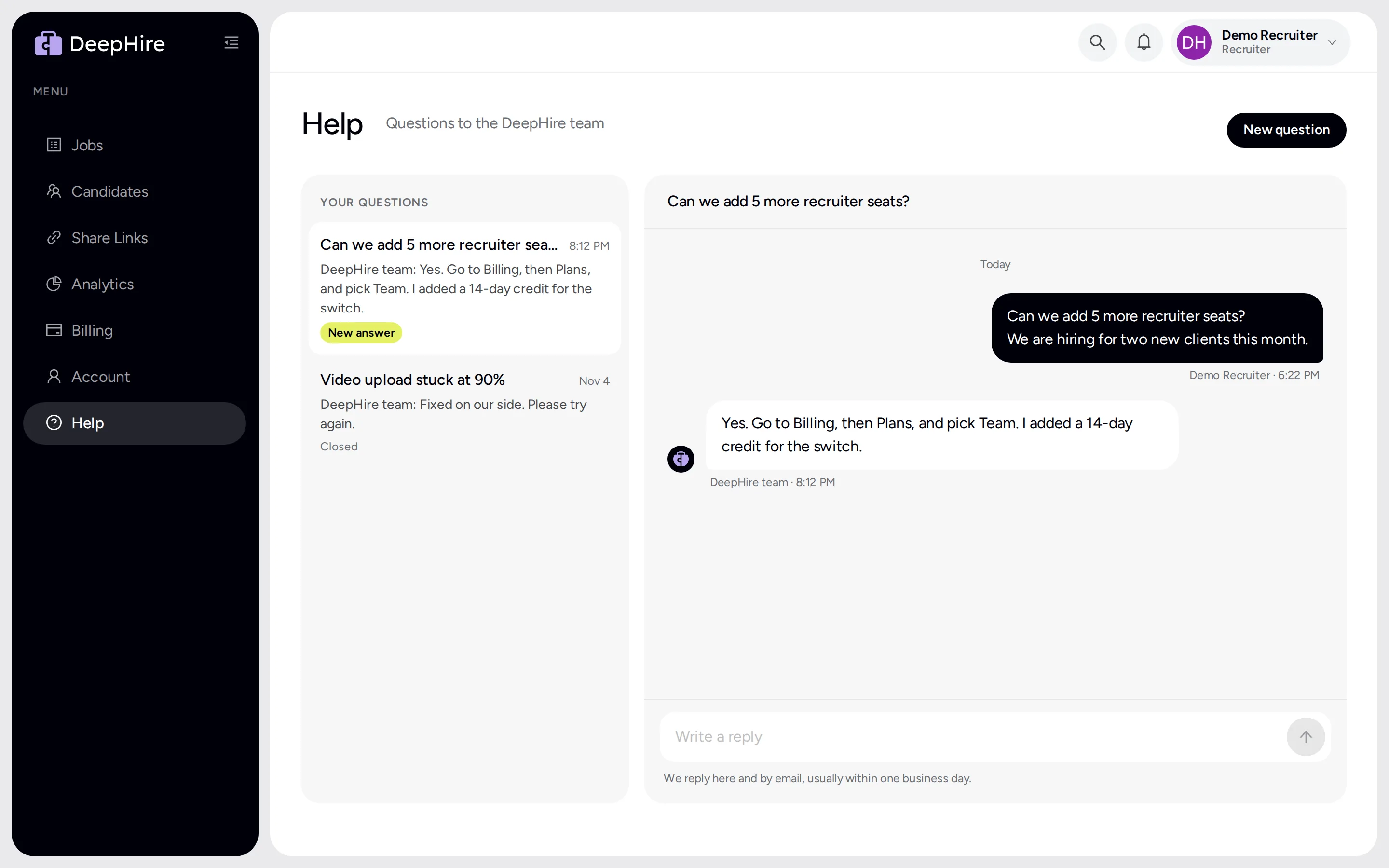
Ask us anything, right in the app
Send the DeepHire team a question from the Help page. The answer shows up in the same chat and in your email.
- Chat with our team inside DeepHire
- Answers by email too
- Reply from your inbox
- A help center for your candidates
Full list
Everything new in 2.0
54 improvements. All of them are in your account today. There is nothing to install.
AI summaries and scoring6
- Transcripts of every video and audio answer
- A short summary of each candidate
- Scores on your own rubric
- AI drafts a rubric from your questions
- AI writes job questions from a job description
- Run the summary again after you change the rubric
Reference checks6
- Up to 5 references per candidate
- References answer by video, audio, or text
- Candidates add their own references after the interview
- Transcripts and a summary for each reference
- Resend or delete a request in one click
- Turn reference checks on or off per job
Reviewing candidates10
- Play answers at 1.5x or 2x
- Autoplay the next answer
- J and K for next and previous candidate, N and P for answers
- Rate 1 to 5 stars, with the number keys
- Sort and filter by rating
- Green dot on candidates you have not watched
- Take count per answer and total interview time
- Next candidate opens instantly
- Comments sit above documents
- See when a candidate deleted their interview
Finding candidates3
- Search every candidate, not only the newest 1,000
- Big candidate lists open as fast as small ones
- Lists show at once when you come back
Creating jobs5
- 26 job templates with questions written for you
- Audio-only questions: voice answers, camera off
- Suggested questions for any job title
- Written and multiple-choice questions
- Copy a job's interview link in one click
Your candidates9
- A new, cleaner interview
- Practice question before the real ones
- Switch to a phone with a short code
- Works on every iPhone and Android phone
- Answers are kept when the connection drops
- Written answers
- Audio-only answers for voice questions
- A help center for camera and browser problems
- Candidates can see or delete their answers at deephire.com/my
Your clients4
- A new share page
- Previous and Next, speed control, and autoplay
- Written and multiple-choice answers shown
- Feedback always saves to the right candidate
Your account5
- Stay logged in for a year
- Chat with the DeepHire team on the Help page
- New Analytics page
- Cancel or resume your plan yourself
- Simpler menu: Jobs and Candidates up top
AI assistants6
- Connect Claude Code, Claude Desktop, Cursor, or another MCP assistant
- Post jobs and invite candidates by chat
- Read answers, rate candidates, and share shortlists by chat
- You approve each assistant with one email click
- An assistant sees only your company's data
- Team members who leave lose their assistant's access at once
Try DeepHire 2.0 today
If you already use DeepHire, 2.0 is live in your account now. If you are new, start a free 14-day trial with no credit card.