
Reference checks
People who worked with a candidate answer a few questions about them, by video, audio, or text.
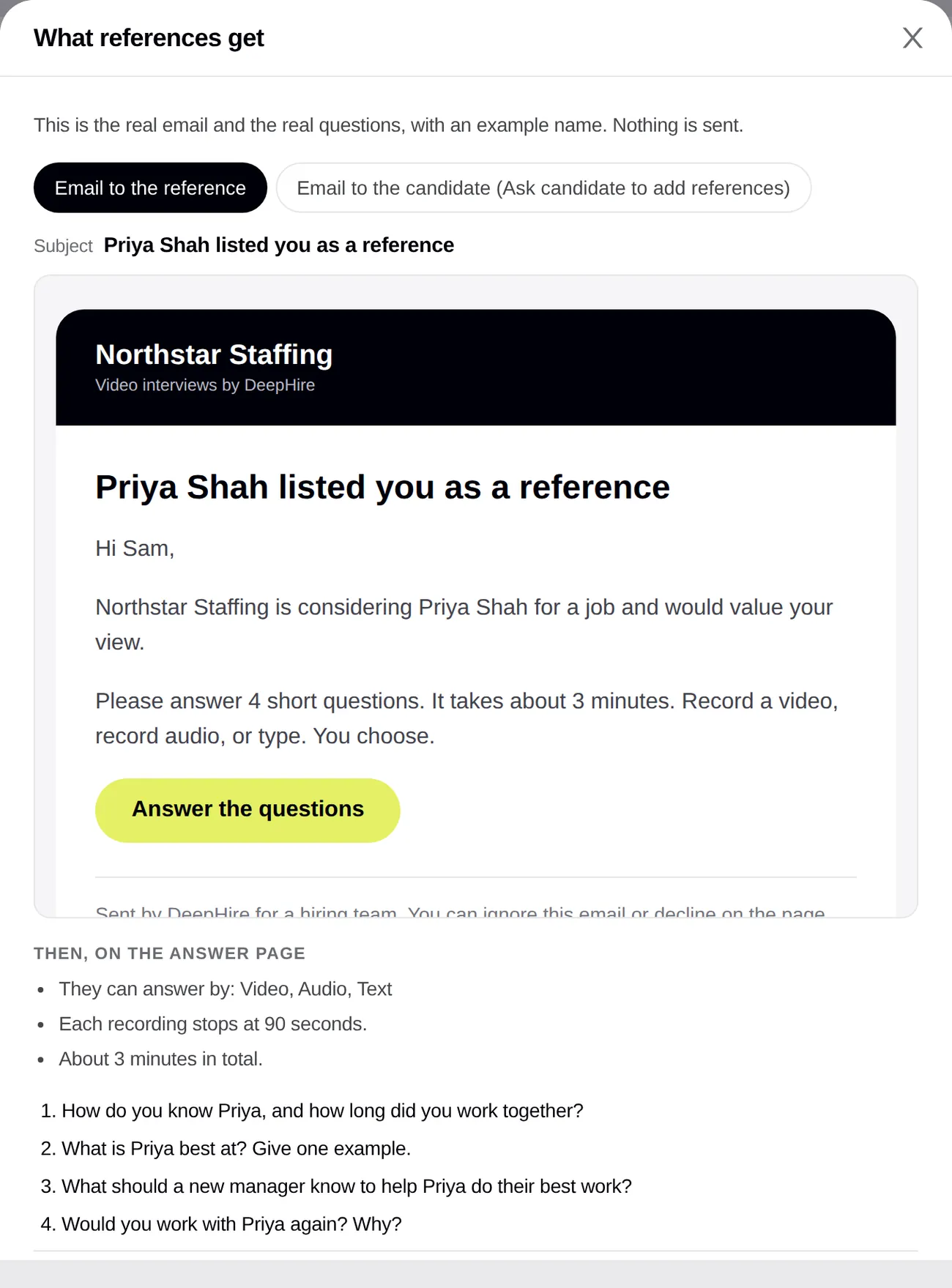
Open your candidatesIn the app: Candidate page, References card. Settings: job editor, Reference checks section.
At a glance
- References per candidate
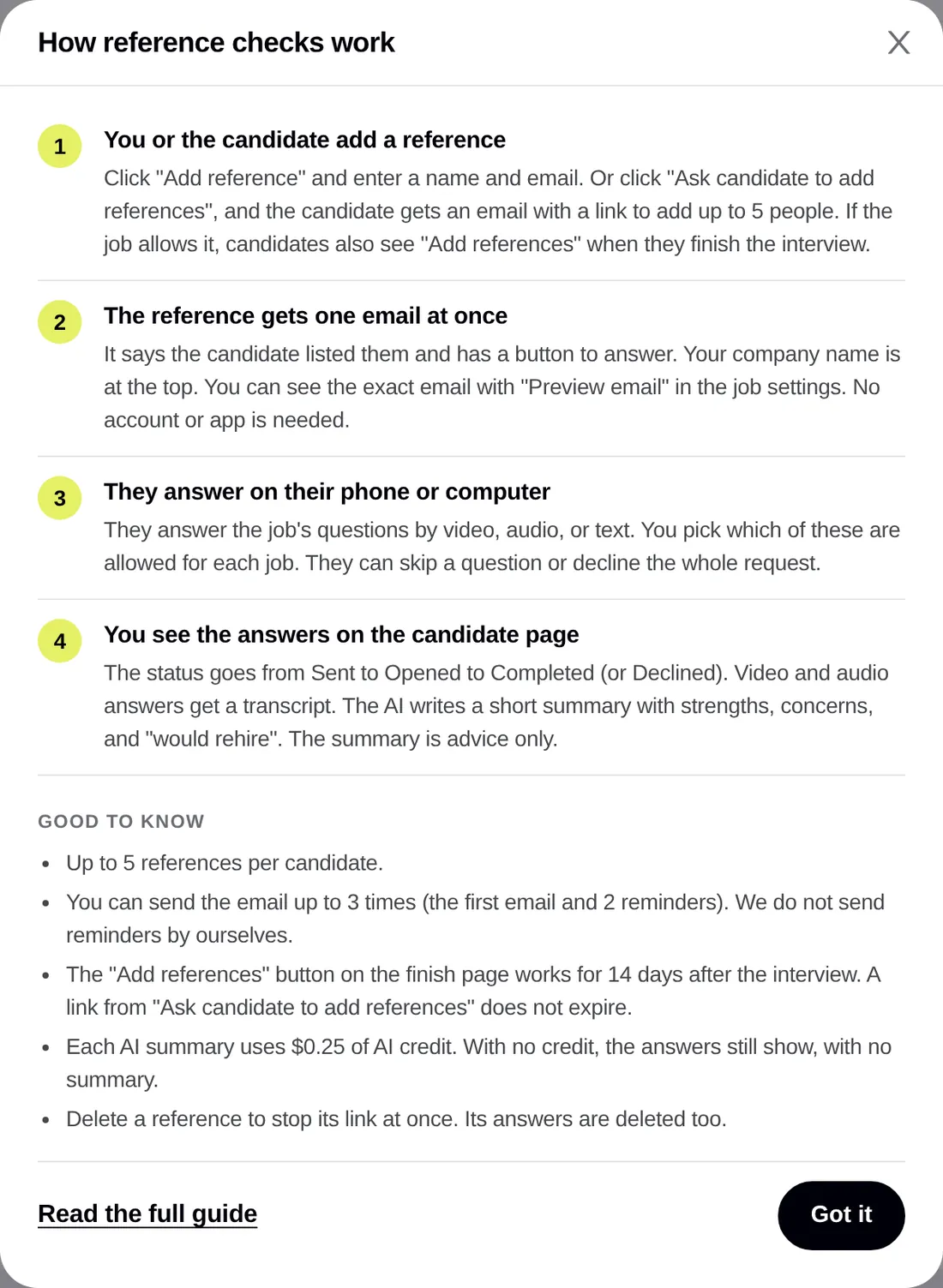
- Up to 5
- Emails per reference
- Up to 3 (first + 2 resends)
- Default questions
- 4, about 3 minutes
- Answer types
- Video, audio, text (you choose per job)
- AI summary
- $0.25 of AI credit each
Good to know first
- Add reference sends an email at once. Ask candidate to add references emails the candidate at once. Both ask you to confirm and name who gets the email.
- DeepHire does not send reminders by itself. Use Resend (up to 2 times).
- Changes to a job's reference settings apply to new requests only. A request that is out keeps its settings.
The short version
- You add a reference, or the candidate adds their own.
- Each reference gets one email with a button. No account, no app.
- They answer the job's questions on their phone or computer, by video, audio, or text.
- Their answers show on the candidate page, with transcripts and a short AI summary.
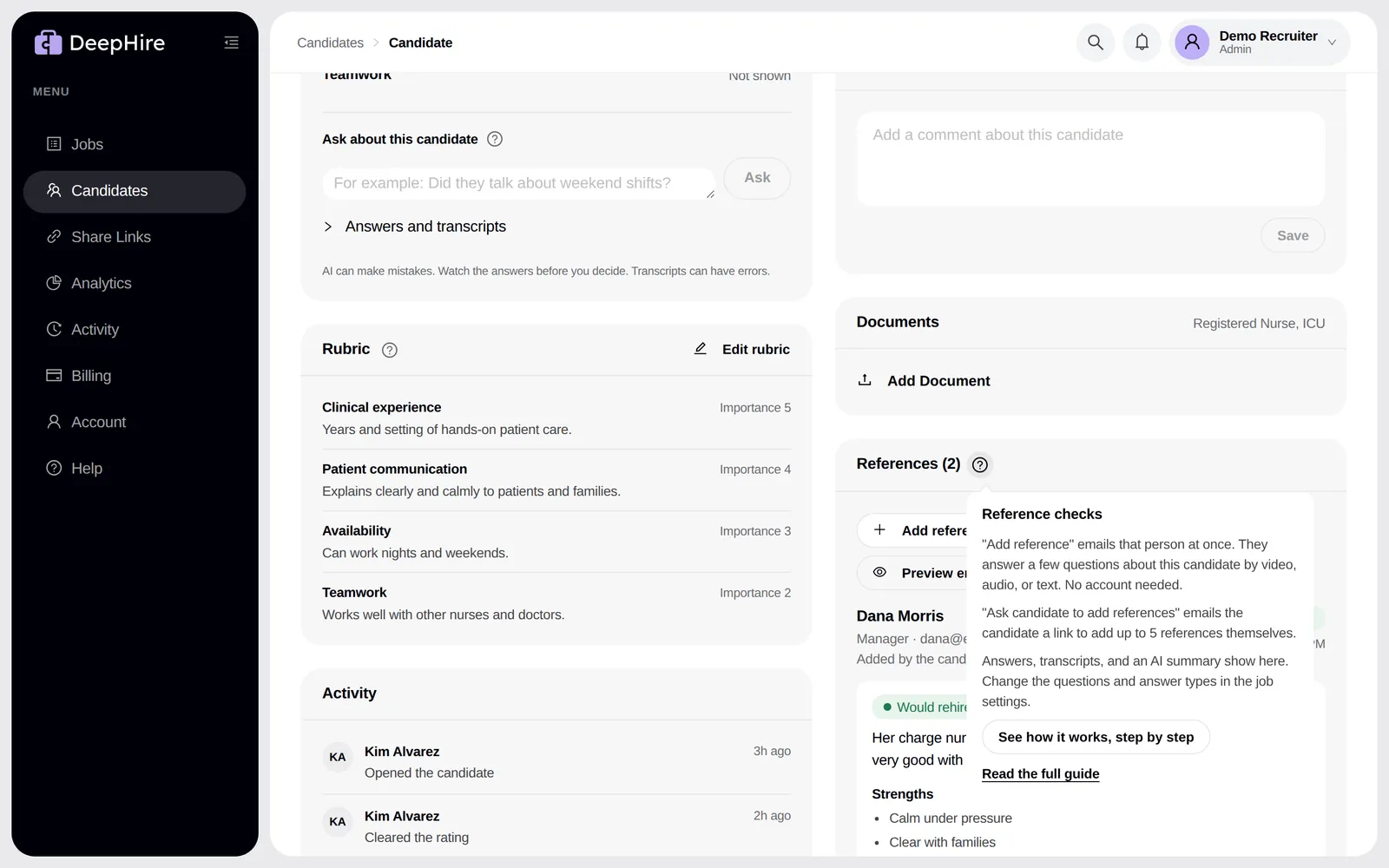
Step 1: someone adds a reference
There are three ways. All three send the same email to the reference.
| Who | How | When the email goes |
|---|---|---|
| You | Add reference on the candidate page. Enter their name and email. | At once, after you confirm |
| The candidate, after you ask | Ask candidate to add references emails the candidate a link. They enter the name and email of 1 to 5 people. | When the candidate adds each one |
| The candidate, by themselves | When they finish the interview, the last screen shows Add references. | When the candidate adds each one |
- The third way is on by default. Turn it off per job with Let candidates add references after the interview. That button works for 14 days after the interview.
- A link from Ask candidate to add references does not expire. To stop it, ask support.
- A candidate cannot list their own email, and the same email cannot be added twice for one candidate.
- The limit is 5 references per candidate, from all three ways together.
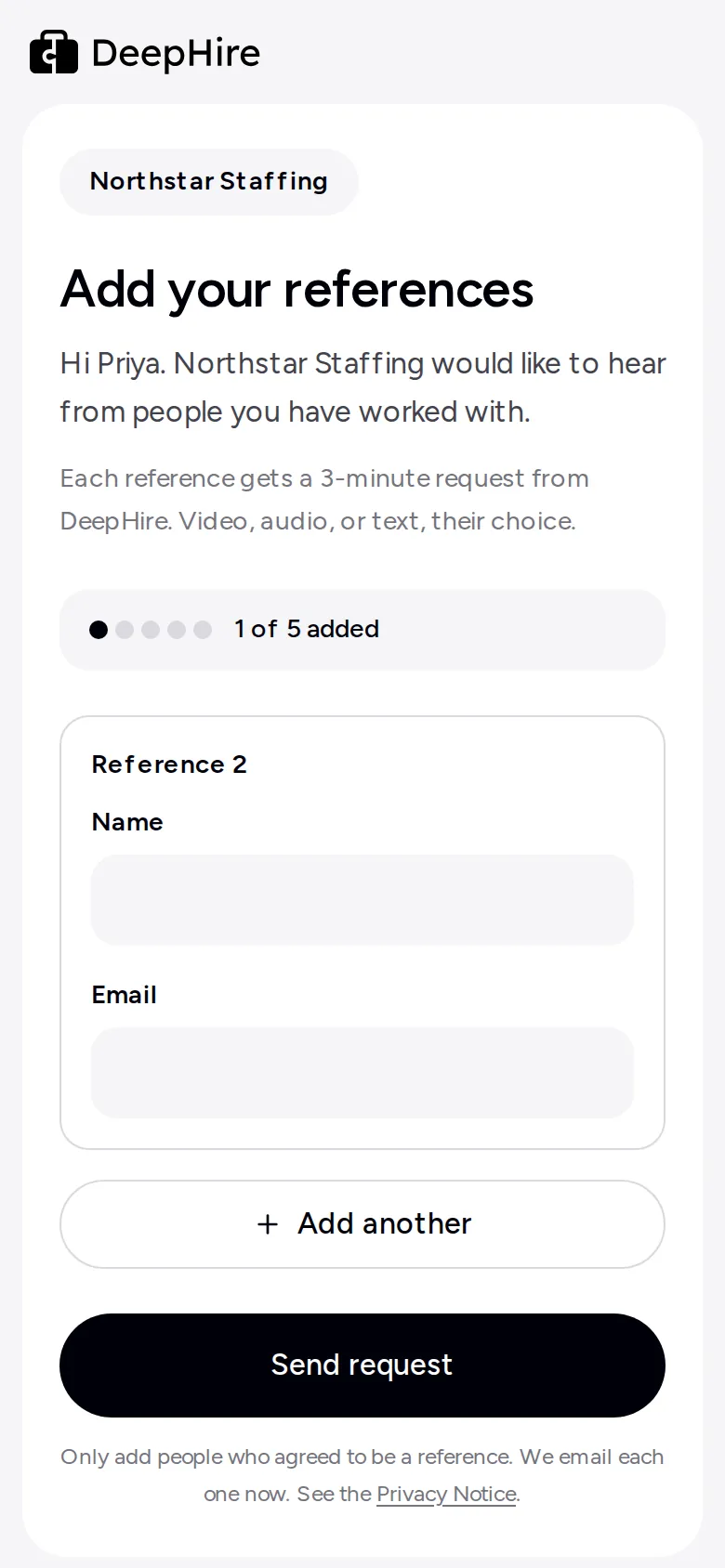
Step 2: the reference gets one email
The subject is "{Candidate} listed you as a reference". Your company name is at the top. The email says how many questions there are, about how long it takes, and which answer types they can use. If you wrote a note in the job settings, it is in the email too.
To see the exact email before anyone gets it, open the job, go to Reference checks, and click Preview email. On a candidate page, click Preview emails. The preview uses the same code as the real email. Nothing is sent.
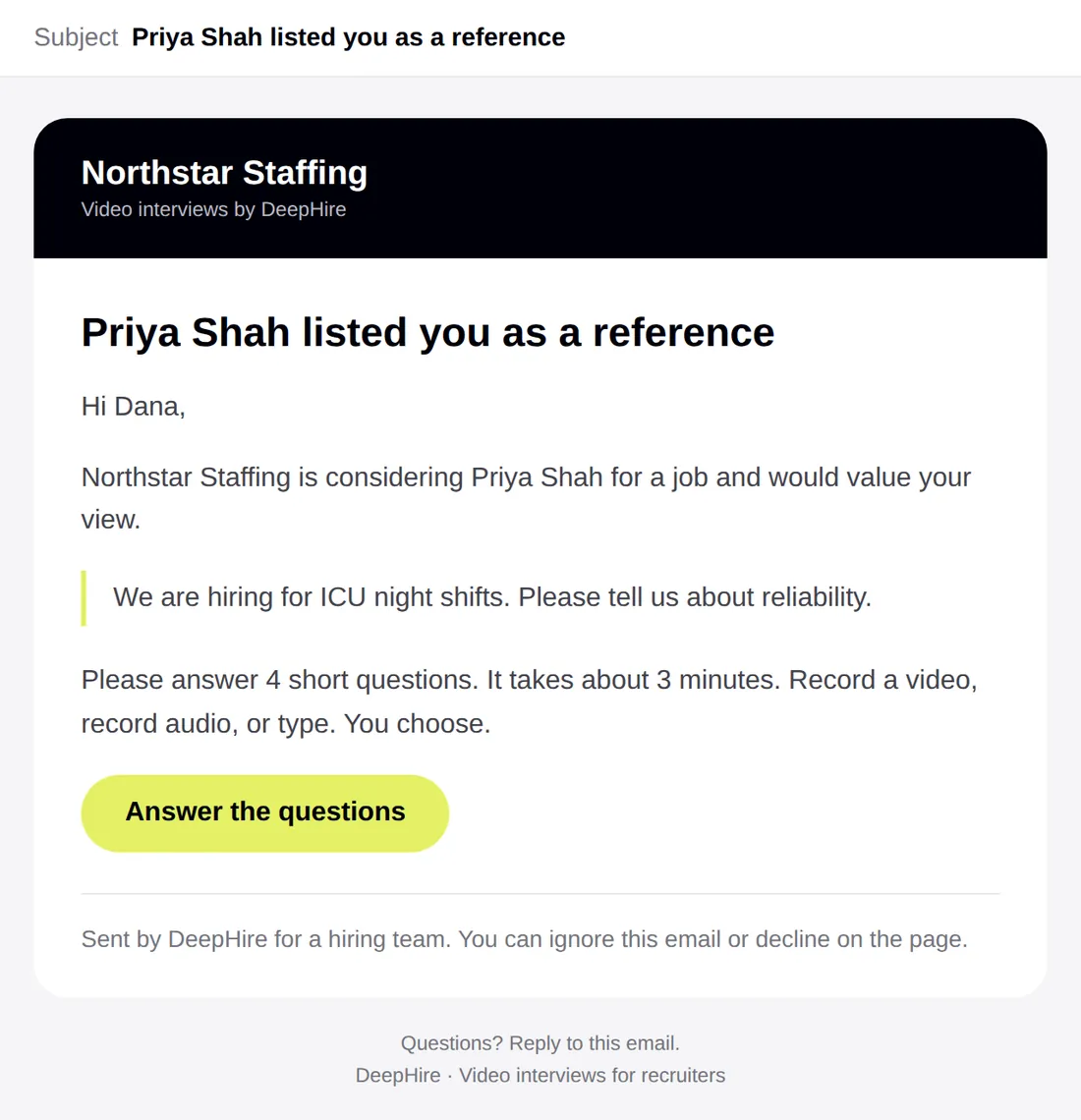
Step 3: the reference answers
The link opens a page at deephire.com. The reference:
- Sees who is asking, about whom, how many questions, and your note.
- Picks an answer type, from the types you allow. If you allow only one, they skip this step.
- Answers one question per screen. Each recording stops at the time limit you set (90 seconds by default). They can retake, skip a question, or switch type.
- Optionally adds their own name, job title, and company.
- Clicks Send reference.
If their camera or microphone fails, the page offers the next allowed type: video to audio, audio to text.
They can also click Decline this request and give a reason. You see the reason.
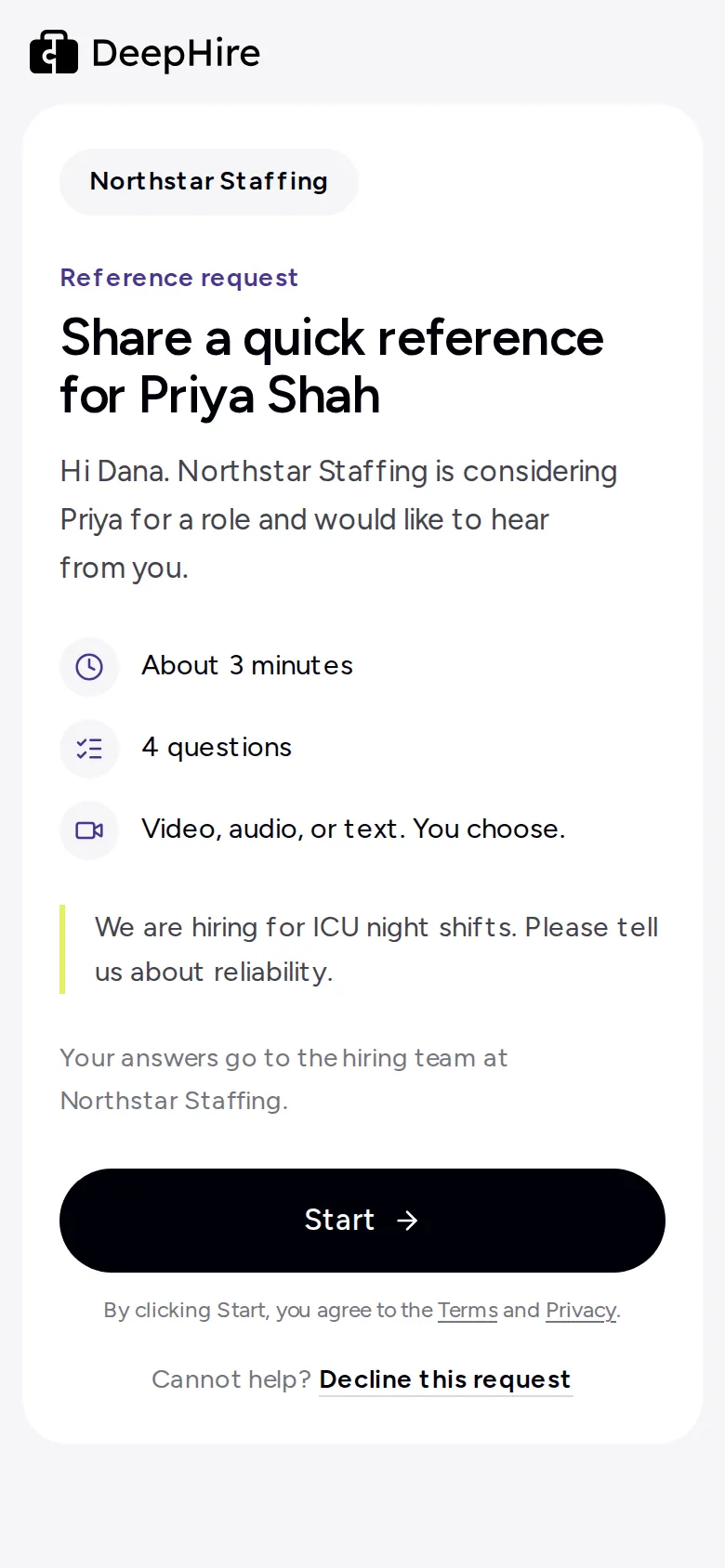
1. Who is asking, and how long
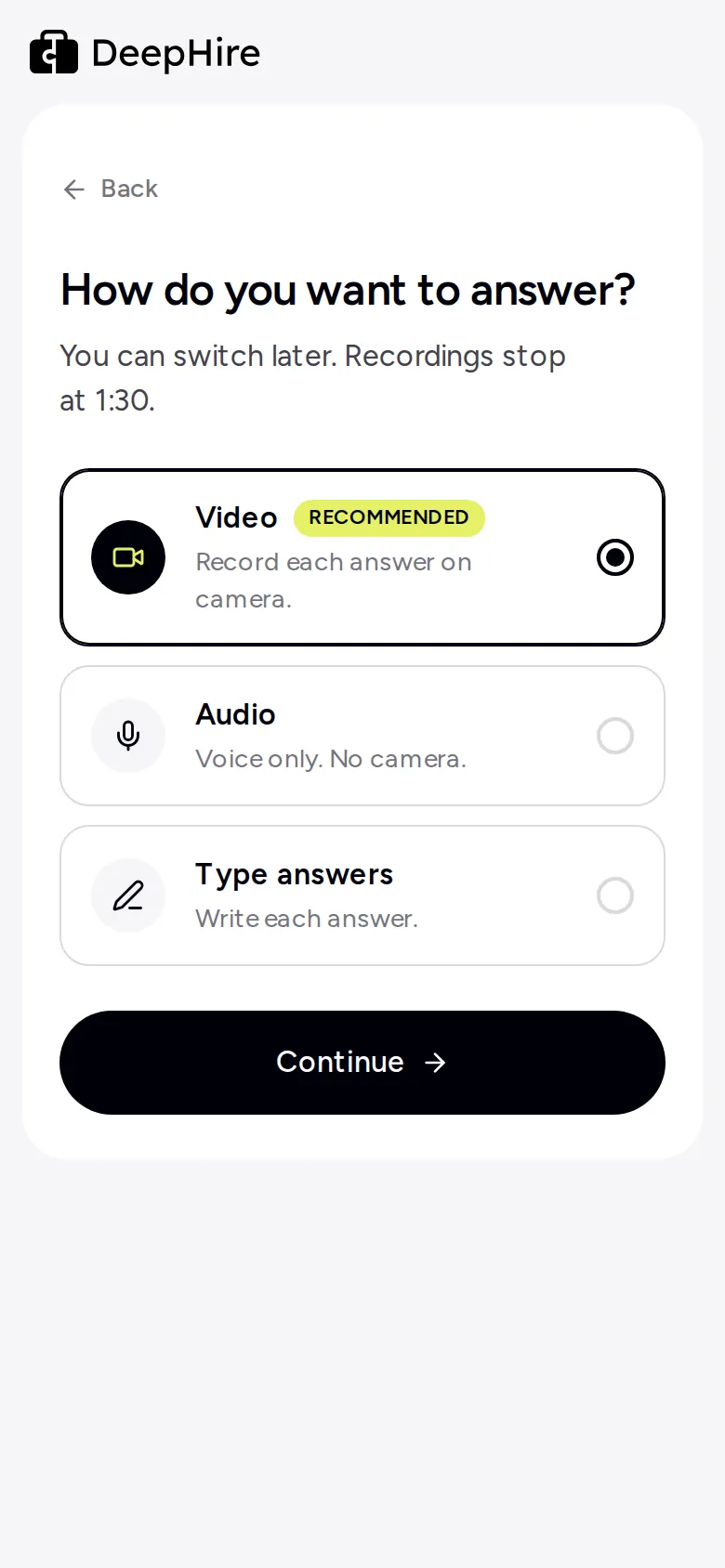
2. Pick how to answer
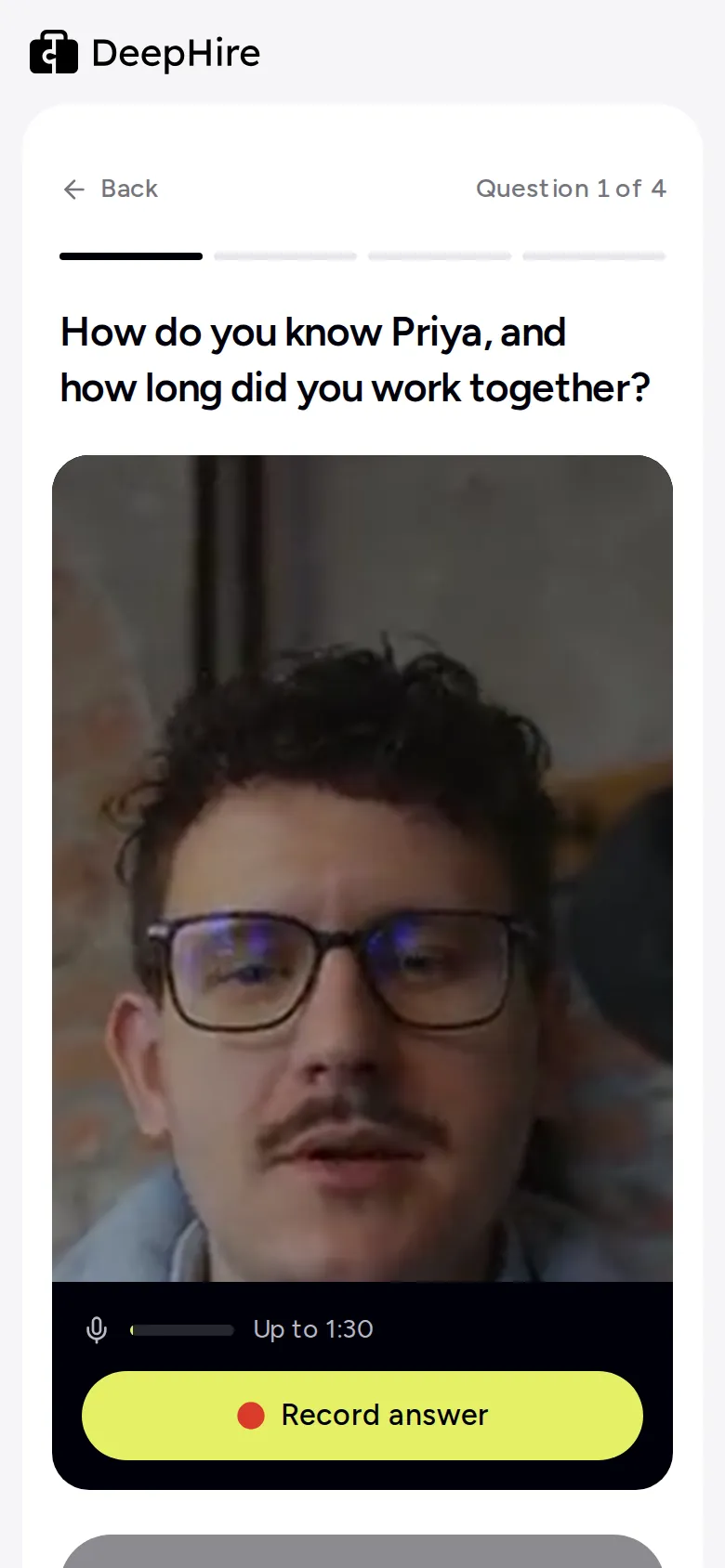
3. One question per screen
Step 4: you see the answers
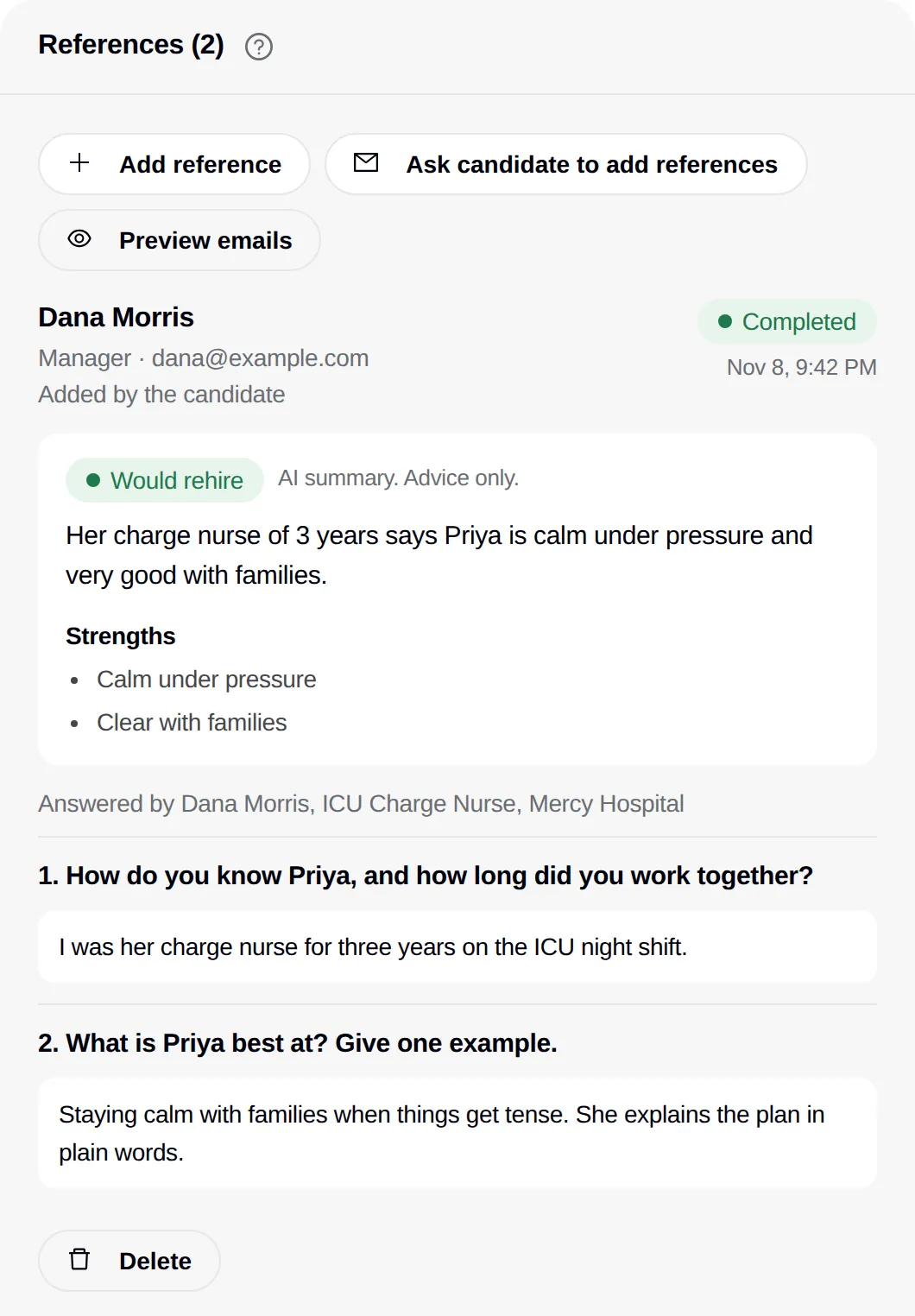
On the candidate page, each reference shows a status:
| Status | Means |
|---|---|
| Sent | The email went out. |
| Opened | They opened the link. |
| Completed | They sent answers. |
| Declined | They said no. You see the reason, if they gave one. |
When a reference is completed you see each answer (video, audio, or text), the respondent's name and title, a transcript of each recording, and the AI summary: 2 to 3 sentences, up to 3 strengths, up to 3 concerns, and Would rehire, Would not rehire, or Rehire unclear. The summary is advice only. It uses only what the reference said and never mentions age, gender, race, religion, nationality, disability, family status, health, or appearance.
The summary is ready about 2 minutes after the reference sends answers.
Customize reference checks for a job
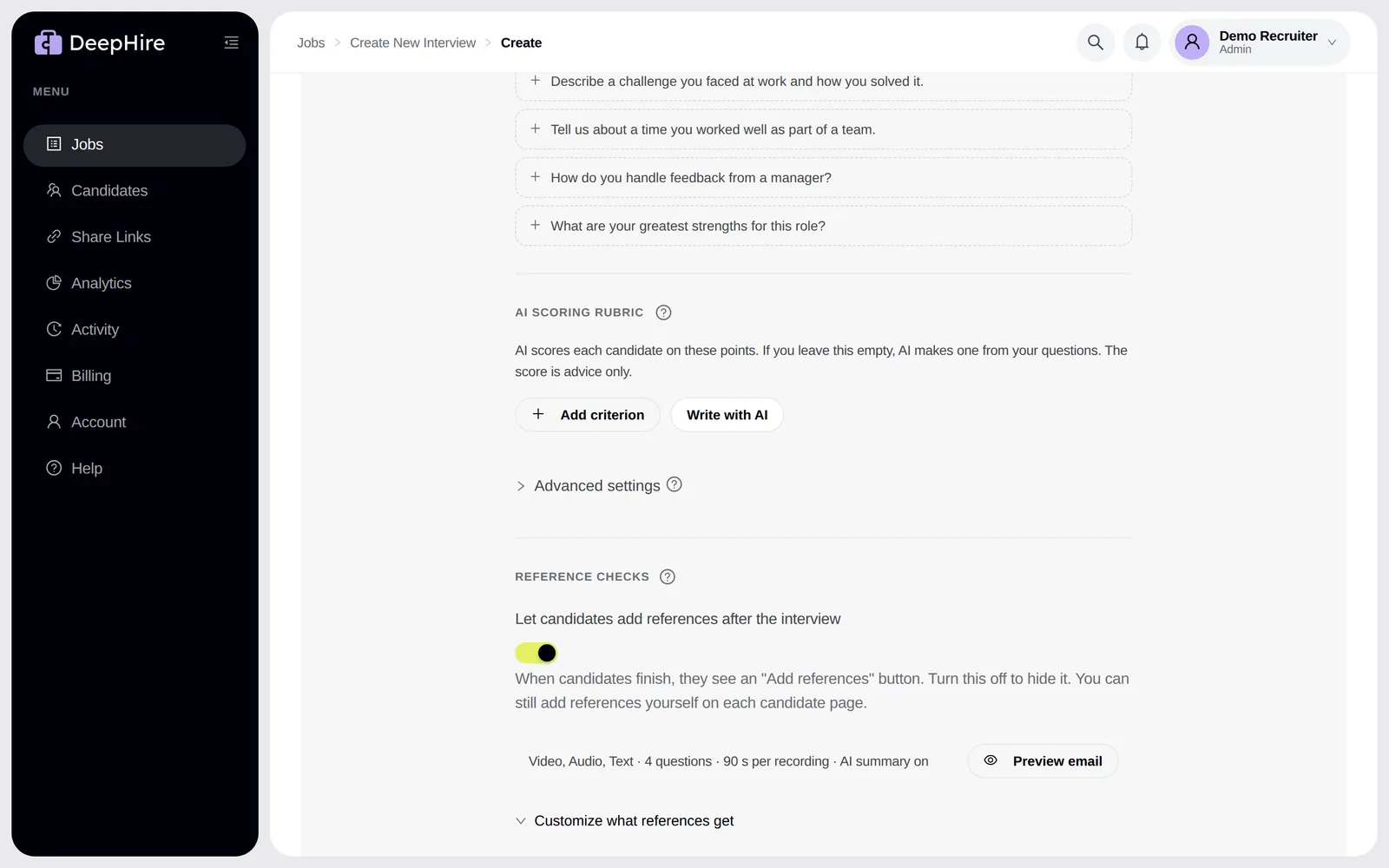
Open the job (or create one) and go to Reference checks. Click Customize what references get.
| Setting | Default | Options |
|---|---|---|
| Answer types references can use | Video, audio, text | Any 1, 2, or all 3 |
| Longest recording | 90 seconds | 30 s, 60 s, 90 s, 2 min, 3 min |
| Questions for references | 4 standard questions | 1 to 8 of your own |
| Note in the email | None | Up to 500 characters |
| Write an AI summary of each reference | On | On or off |
- In a question, write {name} where the candidate's first name goes. "What is {name} best at?" becomes "What is Jordan best at?".
- Fewer questions get more answers. Four is a good number.
- With AI summary off, you still get the answers. Click Write AI summary on one reference to get one for that reference only.
The 4 default questions are:
- How do you know {name}, and how long did you work together?
- What is {name} best at? Give one example.
- What should a new manager know to help {name} do their best work?
- Would you work with {name} again? Why?
Resend, copy link, delete
- Resend sends the email again, with "Reminder:" in the subject. You can send each request 3 times in total.
- Copy link gives you the reference's personal link, to send by text or chat.
- Delete removes the reference and its answers. The link stops working at once.
When you delete a candidate, their references are deleted too.
Not sure? Open the guide in the app
The ? next to References on a candidate page explains the card in 3 lines. See how it works, step by step opens the whole flow.
Cost
Each AI summary uses $0.25 of AI credit. Transcripts are part of it. When you are out of credit, the answers still show, and the summary is written by itself when credit is back. Your card is never charged for AI by itself.
Common questions
Does the reference need an account?
No. The link in the email is all they need. It works on any phone or computer with a modern browser.
Can I make references answer by text only?
Yes. In the job's Reference checks settings, check only Text. The email and the page then ask for typed answers only.
Do references get automatic reminders?
No. Click Resend on the reference. You can send each request up to 3 times in total.
Can the candidate see what their references said?
No. Only your team sees the answers and the summary.
I changed the questions. Why does an old request still show the old ones?
A request keeps the settings it was sent with, so a reference never sees questions change halfway. Add the reference again to send the new questions.
Updated November 9, 2026