
Analytics and exports
Completion rate, the candidate funnel, and CSV exports.
Open AnalyticsIn the app: Analytics. Admins on Pro and trial.
Good to know first
- Every export is logged in Data access.
What you see
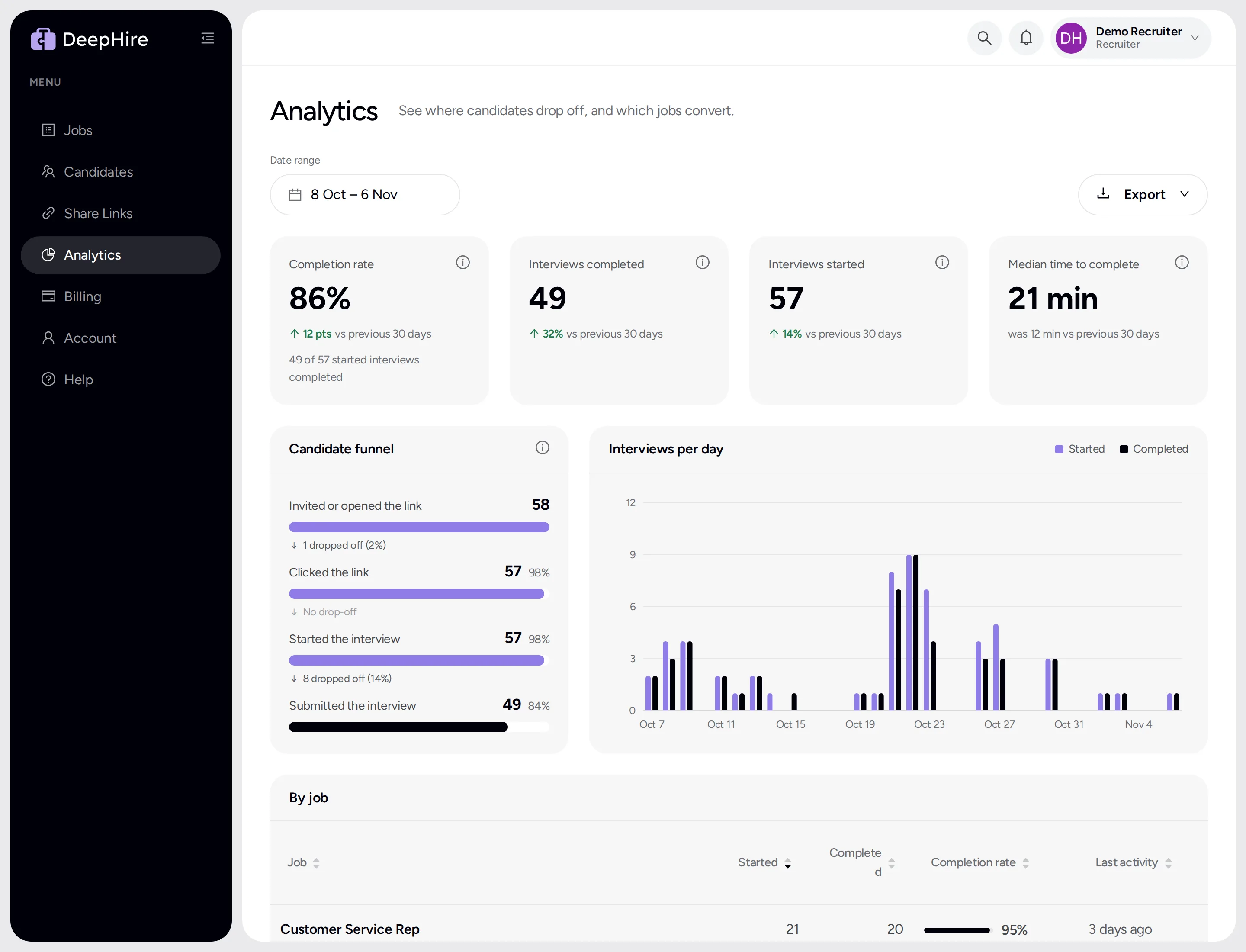
The last 30 days by default:
- Completion rate, interviews completed, interviews started, and median time to complete, each compared to the period before.
- Candidate funnel: invited or opened the link, clicked, started, submitted, and how many dropped off at each step.
- Interviews per day, week, or month.
- By job: started, completed, completion rate, last activity.
Export
Export downloads a CSV of users, jobs, candidates, branches, or a client worksheet, for the dates you picked.
Updated November 9, 2026