
Activity and logs
Who viewed, rated, shared, exported, and deleted, and how fast your team responds.
Open ActivityIn the app: Activity in the left menu. Admins only. Pro and trial.
At a glance
- Who can see it
- Admins
- History kept
- 730 days
- Ranges
- 24 hours, 7, 30, 90, 365 days
Good to know first
- Every Ask question to AI and every download is logged with the person's name. The question text is not saved.
- DeepHire staff are never logged.
The Activity page has three tabs: History, By person, and Response speed. Settings > Teams links to it.
History
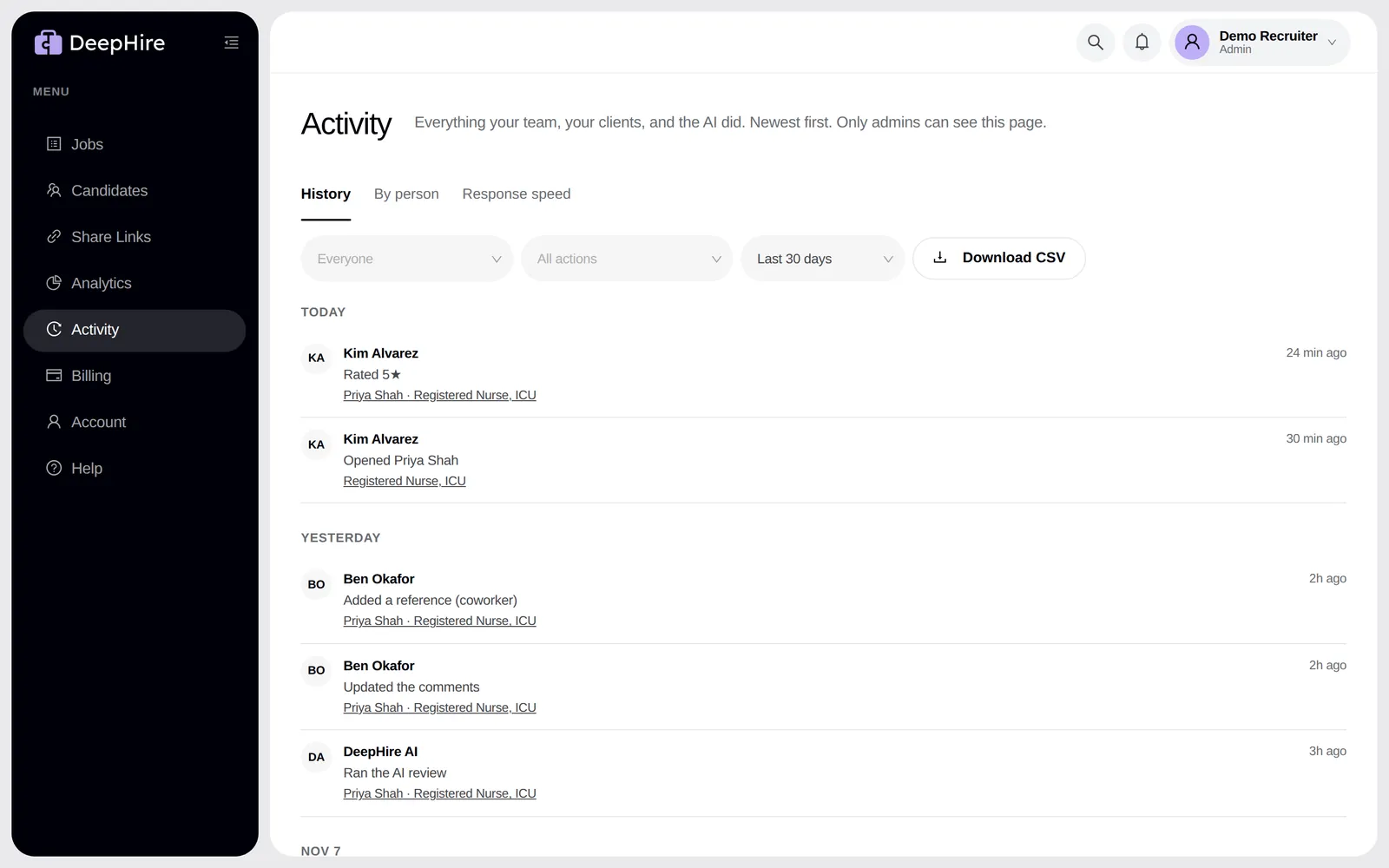
One list of what your team, your clients, and the AI did, newest first, grouped by day. Filter by person, by action, and by range, from the last 24 hours to 365 days. The filters stay in the address bar, so you can bookmark or share a view. Each row links to its candidate or job. Download CSV downloads the rows you see.
| Action | What is in it |
|---|---|
| Ratings | Star ratings |
| Reviews | Marked reviewed, comments saved |
| Opens | Someone opened a candidate (once a day per person) |
| Shares | Share links made, viewed, and rated by clients |
| Jobs | Jobs made, edited, hidden, and invites sent |
| AI | AI runs, re-scores, Ask questions, rubric changes |
| Team | Invites, role changes, removals |
| Deletes | Candidates and answers deleted |
| Downloads | CSV exports |
| References | References added |
When a client opens a share link, the row shows the approximate city, region, and country. DeepHire does not keep the client's IP address.
By person
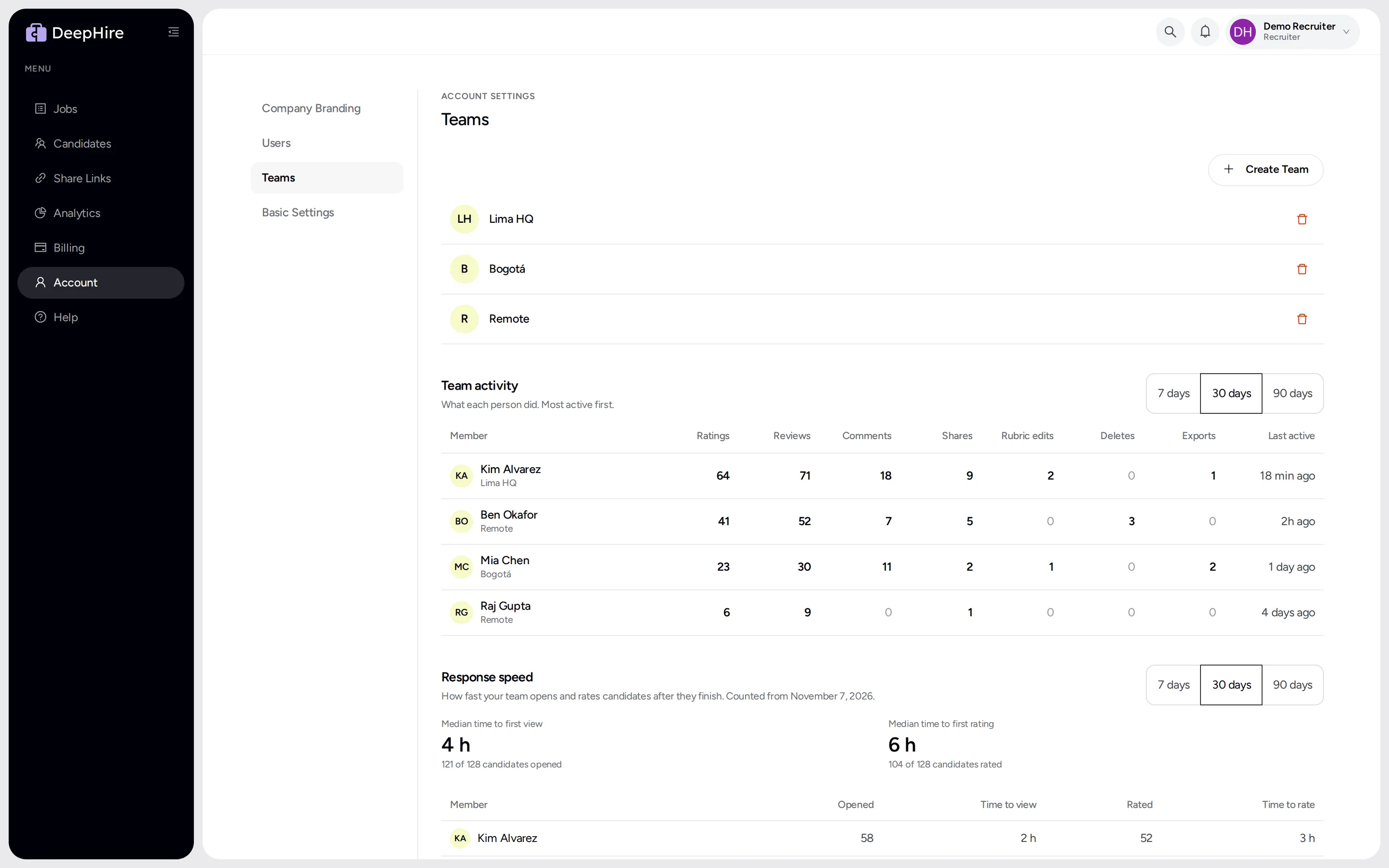
Pick 7, 30, or 90 days. For each person: ratings, reviews, comments, shares, rubric edits, deletes, exports, and last active. Click a person to see their history.
Response speed
The median time from a candidate finishing to the first view and to the first rating. Waiting for a first look lists candidates nobody opened yet. Counted from November 7, 2026.
Deletes and downloads
Pick Deletes or Downloads in the action filter. The candidate's name is removed from a delete row when the recordings are erased, 30 days after the delete.
On each candidate
The Activity card shows who viewed, rated, commented, and shared, and client feedback. Everyone with access to the candidate sees it. DeepHire staff are never logged.
Updated November 9, 2026