
AI summaries and transcripts
A transcript of every answer, a short summary, and a score on your rubric.
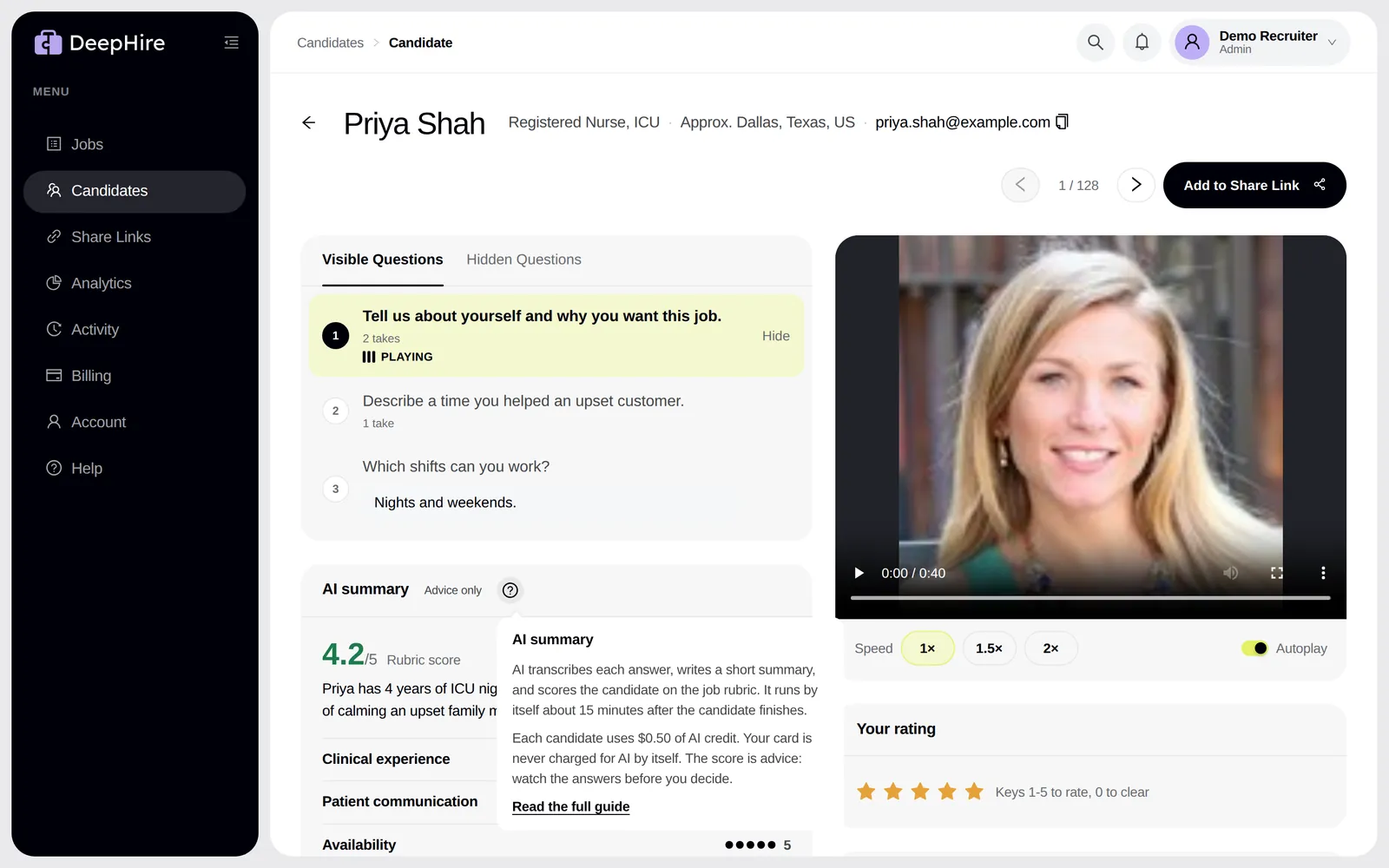
Open your candidatesIn the app: Candidate page, the AI summary card.
At a glance
- Ready
- About 15 minutes after the candidate finishes
- Cost
- $0.50 of AI credit per candidate
- Re-score
- $0.10
Good to know first
- It runs by itself on every new candidate and uses AI credit. Your card is never charged for AI by itself.
- If a candidate deletes one answer, the AI runs again ($0.10).
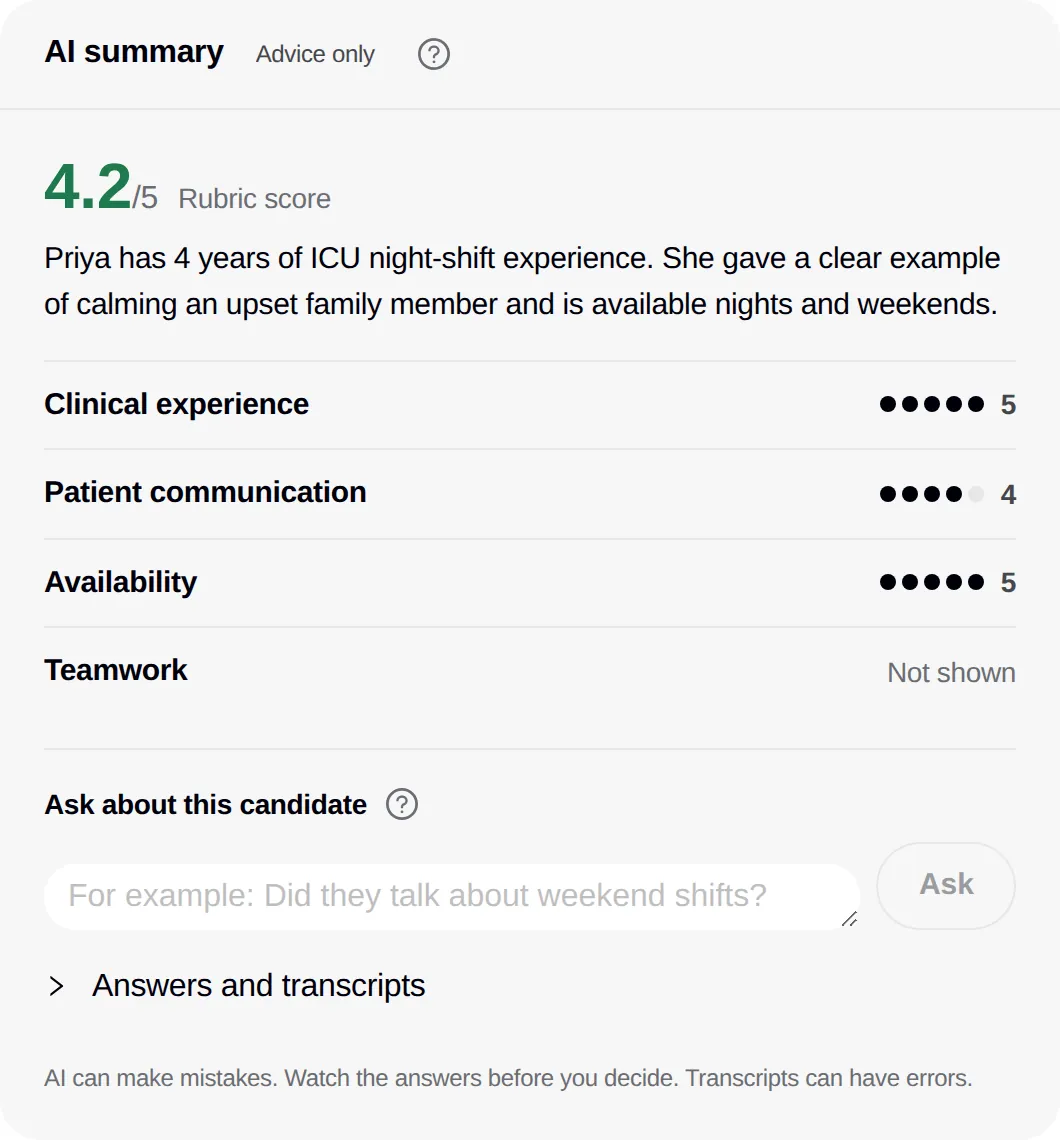
What you get
- A transcript of each video and audio answer.
- A summary of the candidate in 2 to 4 sentences.
- A 1 to 2 sentence note on each answer, flagged when it is No answer, Off topic, or Cut off.
- A score on each rubric criterion and an overall score.
Open Answers and transcripts to read them. Click a question there to play that answer.
When it runs
AI starts 10 minutes after the candidate's last answer, so it reads the whole interview. The summary is usually ready about 15 minutes after the candidate finishes. If it fails, it tries again later. When it cannot finish, click Run AI.
Fair use
The score is advice. Watch the answers before you decide. The AI is told never to score on age, gender, race, religion, nationality, disability, family status, appearance, or accent. Transcripts can have errors.
When you are out of credit
You see "Out of AI credit. Nothing was charged." The candidate is processed by itself when credit is back. See AI credit.
Process many candidates at once
On the Jobs page, the AI menu on a job offers Process {n} candidates with AI for older candidates with no summary. It shows the cost first. One run does up to 300 candidates. The whole run must fit in your credit.
Not sure? Click the ?
The ? next to AI summary explains when it runs and what it costs, and links back to this page.
Updated November 9, 2026