
Rubric scoring
The points AI scores each candidate on. Write it, or let AI write it.
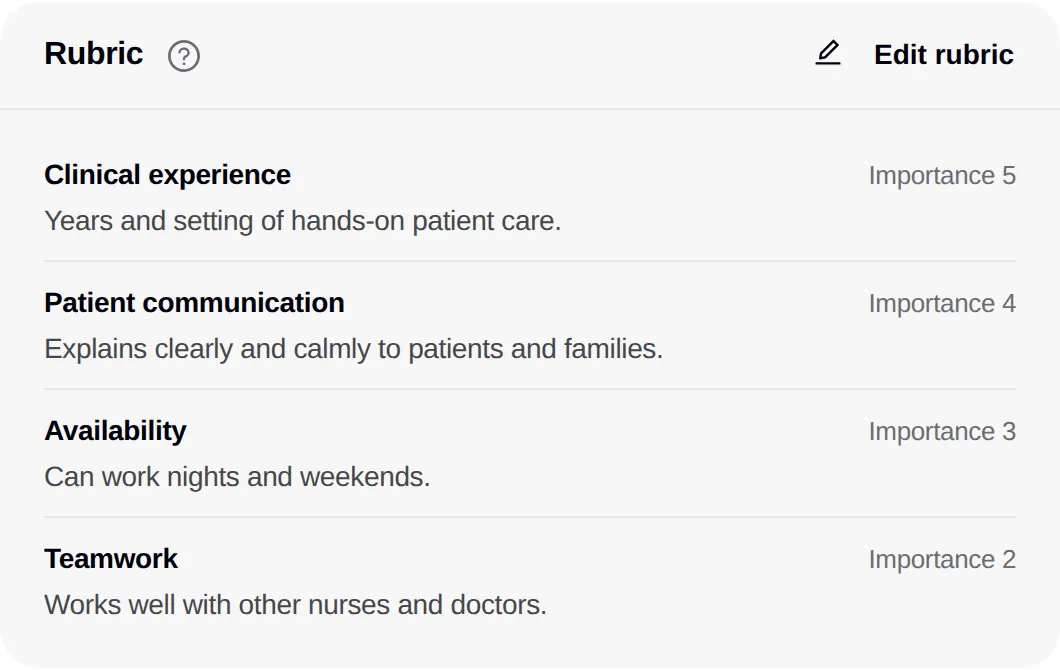
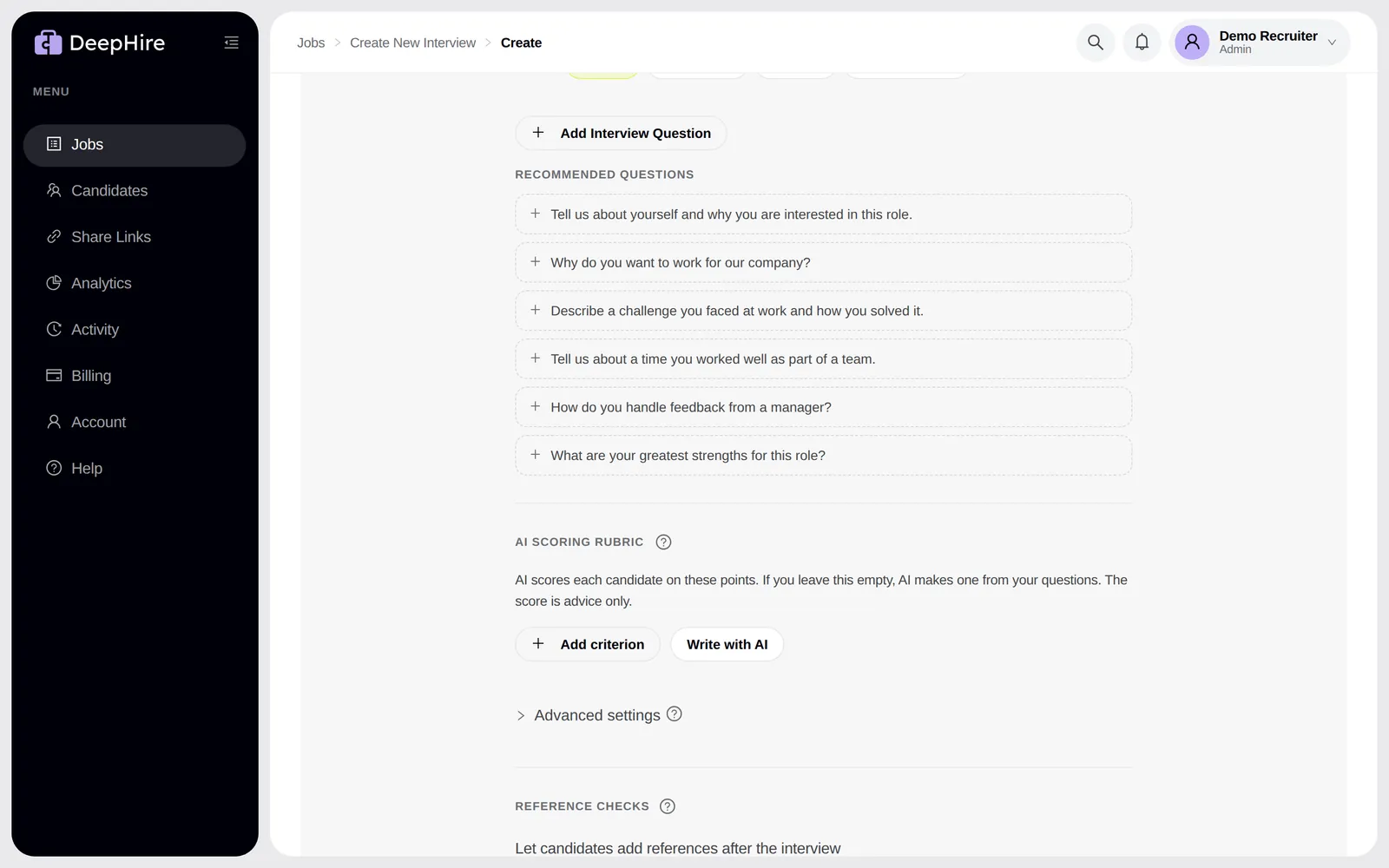
Open your jobsIn the app: Job editor, AI scoring rubric. Candidate page, Rubric card.
At a glance
- Criteria
- 1 to 8
- Importance
- 1 to 5 per criterion
- History
- Last 20 versions
Good to know first
- Changing or restoring a rubric does not re-score anyone by itself. DeepHire asks: Re-score all {n} or Not now.
What a rubric is
A list of 1 to 8 criteria, such as "Customer empathy". Each has a short description and an importance from 1 to 5. AI scores each criterion from 1 to 5, or Not shown, and the overall score is the weighted average. Candidates never see the rubric.
Make one
- Leave it empty: AI writes 3 to 6 criteria from your questions. A rubric you wrote is never replaced.
- Click Write with AI (or Rewrite with AI). Free.
- Click Add criterion and write your own.
Change it
Save the job with a new rubric. DeepHire tells you how many candidates were scored with the old one and offers Re-score all {n} ($0.10 each). On one candidate, Scored with an older rubric has a Re-score button.
History
History shows the last 20 versions, who changed each, and when. Restore makes an old version current. Scores do not change until you re-score. After a restore, DeepHire asks whether to re-score the candidates scored with the older rubric.
Where you see it
Updated November 9, 2026