
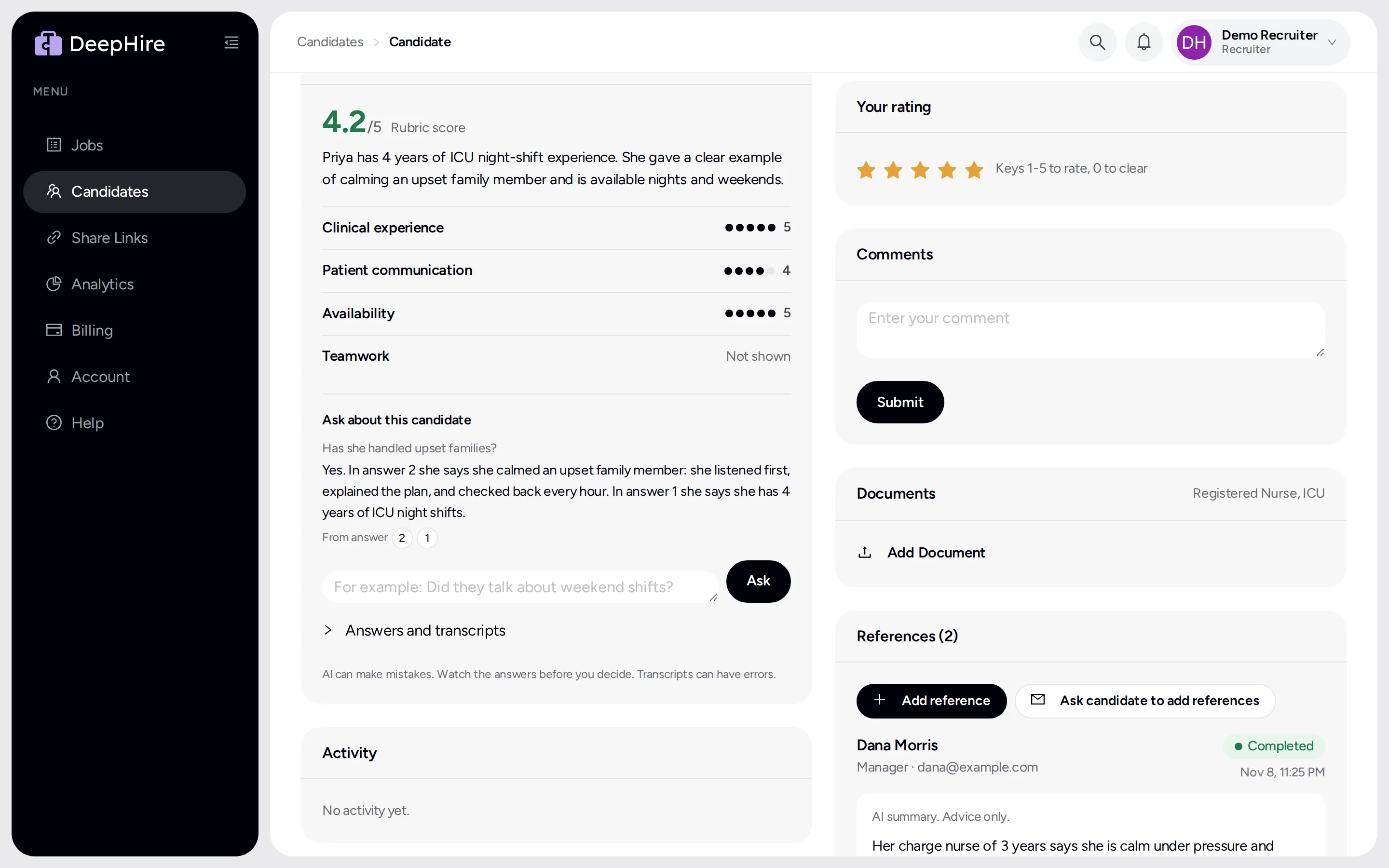
Ask about this candidate
Ask a question, get an answer from the candidate's own words, with a link to the video.
Open your candidatesIn the app: Candidate page, inside the AI summary card.
At a glance
- Cost
- $0.02 per question
- Question length
- Up to 500 characters
Good to know first
- Admins can see that you asked about a candidate in the Data access log. The question text is not saved.
How to use it
- Wait until the AI summary is ready.
- Type a question in Ask about this candidate. For example: "Did they talk about weekend shifts?"
- Click Ask.
The answer is 1 to 4 sentences, from the transcripts only. From answer buttons under it jump to the video it came from.
Good to know
- The chat is not saved. It clears when you open the next candidate.
- It remembers your last 4 questions on this candidate.
- It will not answer questions about protected traits, such as age or family status.
Updated November 9, 2026